Invoice Templates for Graphic Designers
Graphic designers shape the way the world sees brands, products, and ideas. From logos and websites to marketing campaigns and packaging, your work leaves a lasting impression.
However, when it comes to running a design business, creativity isn’t enough. You also need a reliable way to handle payments. A professional invoice is just as important as the final design files.
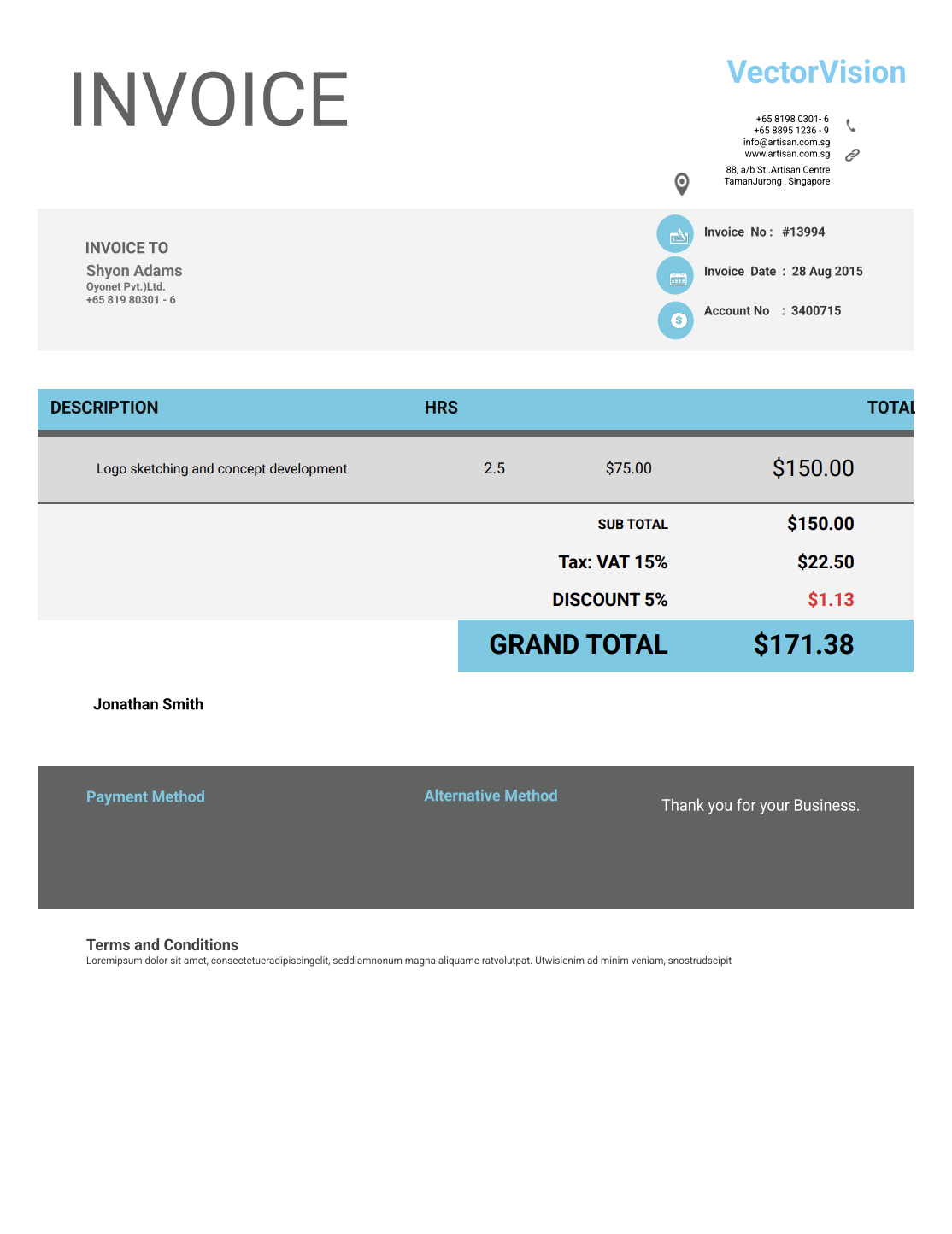
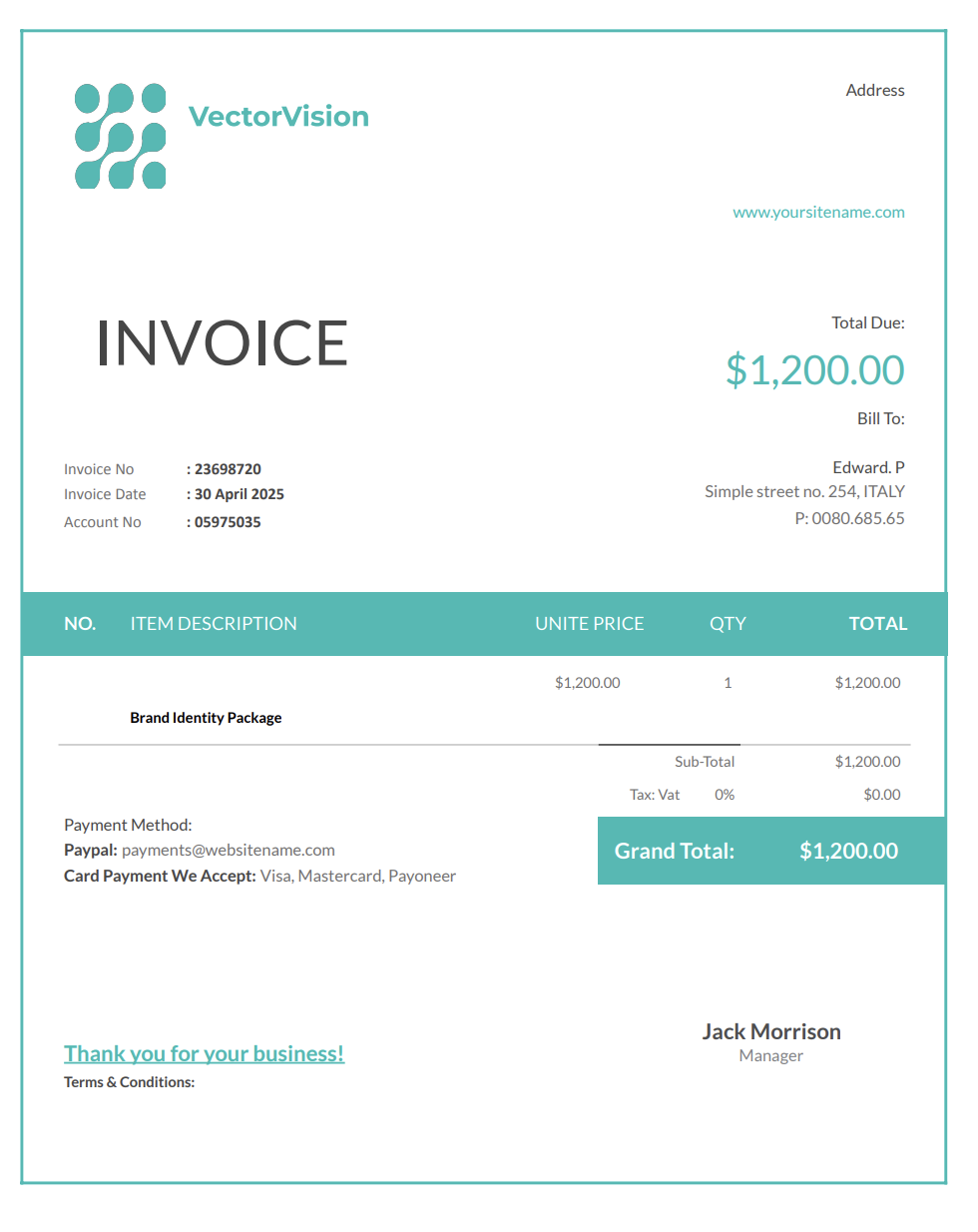
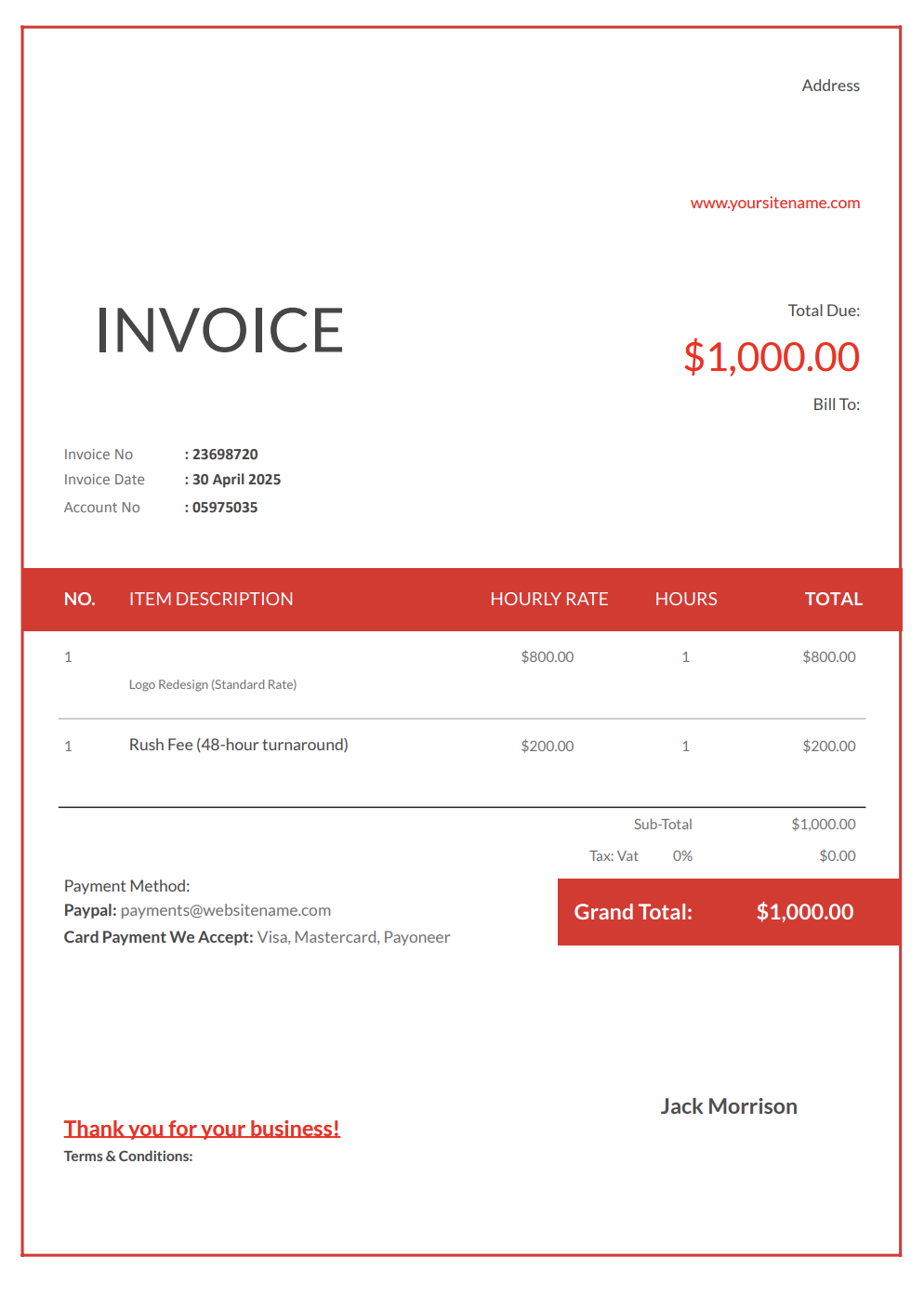
A graphic design invoice template gives you a structured, professional way to bill clients for your time and expertise. It helps you track project fees, hourly design work, revision rounds, licensing rights, and even rush charges.
With Invoicer.ai, you can create graphic design invoices in minutes, either by downloading free Word or Excel invoice templates or by customizing and sending invoices online directly through the software (which is much simpler).
Why Graphic Designers Need Professional Invoices
Many designers love the creative process but dread the administrative side of running a business. Yet, invoicing is essential to building a sustainable design career.
Here’s why professional invoices matter for graphic designers:
- Prompt payments: Clients pay faster when invoices look official and professional.
- Clarity and transparency: Breaking down “Logo Design Package” into concepting, revisions, and file delivery prevents confusion.
- Licensing clarity: Explicitly stating where and how designs can be used protects your rights and prevents misuse.
- Covering upfront costs: Many designers invest in stock assets, typefaces, or plugins. Deposits keep those expenses covered.
- Proof for contracts and disputes: A detailed invoice acts as a legal record if disagreements arise.
- Professional presentation: A polished invoice positions you as a credible professional, not a hobbyist.
- Financial organization: Proper invoices make tax filing and income tracking far easier.
Without structured invoices, designers risk being underpaid, undervalued, or forgotten when it comes to payment.
Different Types of Graphic Design Invoices
Graphic design projects vary widely, so having flexible invoice templates is key. Here are the most common formats:
Project-Based Invoice
Used for fixed-fee projects like logos, brochures, or websites. Lists the total agreed price, deposit, and final payment.
Hourly Work Invoice
Perfect for ongoing work or consulting. Tracks design hours, meetings, and revisions.
Package Invoice
For bundled services, such as a “Brand Identity Package” that includes logo, color palette, and typography guidelines.
Rush Fee Invoice
For urgent projects, invoices should clearly state higher fees for tight deadlines.
Revision/Change Order Invoice
Covers extra work outside the initial agreement, like additional concepts or extended revisions.
Print/Production Invoice
Includes costs for printing, sourcing stock photos, or purchasing licenses.
Graphic design companies and studios can use our invoice templates to bill clients with professional invoices.
What to Include in a Graphic Design Invoice
Every design invoice should balance professionalism with transparency. Here's what you should always include:
- Your details: Name or design studio, logo, email, phone, address, website/portfolio.
- Client details: Company, billing contact, email, and address.
- Invoice number & date: Keeps records organized and trackable.
- Service description: e.g., “Logo design with three initial concepts and two revision rounds.”
- Itemized costs: Design fee, revisions, licensing, stock assets, printing, and rush charges.
- Payment terms: Deposit required, due date, late fees, and accepted payment methods.
- Licensing terms: Exclusive vs. non-exclusive, commercial rights, or limited usage.
- Taxes/fees: VAT or sales tax, if applicable.
- Notes: Deadlines, file formats (AI, PSD, PNG, PDF), and delivery details.
Deliverables and File Formats (Make the Output Explicit)
Design invoices are approved faster when the deliverables are described clearly. This also prevents clients from assuming that “a logo” automatically includes a full brand system, source files, and every file format under the sun.
Recommended deliverable details:
- Deliverable list (logo, social assets, brochure, pitch deck, etc.)
- Number of concepts and final selections (if applicable)
- File formats provided (PNG/JPG/PDF/SVG/AI/PSD, etc.)
- Color mode (RGB/CMYK) and print specs if relevant
- Sizes/variants included (for example, “Instagram feed + story + header”)
- Delivery date or turnaround time
Example line items:
- “Logo design (2 concepts + 1 final)”
- “Export package: PNG (light/dark) + SVG + PDF”
- “Print-ready brochure PDF (CMYK, bleed included).”
Revisions, Additional Rounds, and Out-of-Scope Requests
Most design projects include feedback cycles. The invoice (or invoice notes) should state what is included and how additional revisions are billed once the scope changes.
Common ways to define revision scope:
- Include a set number of revision rounds (for example, 1–2 rounds)
- Define what counts as a revision (minor adjustments vs redesign)
- Bill extra rounds as a separate line item once approved
Suggested invoice note (optional):
“Includes up to [X] revision rounds. Additional revisions or expanded scope are billed separately when requested and approved.”
Example line items:
- “Additional revision round (approved on [Date]).”
- “Expanded scope: new layout direction (approved on [Date]).”
- “Rush revisions (24-hour turnaround)”
Source Files, Editable Files, and Handoff Packaging
Clients often request editable files (for example, AI/PSD/Figma) for internal teams or future updates. If source files are included, list them explicitly. If they are not included by default, this is where you clarify that they can be provided as an add-on.
When source file handoff is relevant:
- The client needs ongoing in-house editing
- The design is being passed to another vendor (printer, web dev, marketing team)
- The deliverable includes templates or brand systems
Example line items:
- “Editable source files (AI/PSD/Figma) handoff – as agreed.”
- “Handoff packaging: organized layers + export naming + folder structure”
- “Template setup: editable social post files (6 layouts)”
Tips to Get Paid Quickly as a Graphic Designer
Cash flow is crucial for creative businesses. These practices help make sure payments come in smoothly:
- Request deposits upfront: Usually 25–50% before starting work.
- Define scope in writing: List deliverables and revision limits before beginning.
- Invoice promptly: Send invoices immediately after project completion or milestone delivery.
- Offer flexible payment options: Bank transfer, or card payments.
- Set late fees: Helps discourage delays.
- Send reminders politely: Automated reminders keep projects from slipping through the cracks.
- Keep invoices consistent: Use numbering and branding to look organized and professional.
When and How to Send Graphic Design Invoices
The timing of your invoices depends on project type:
- Logo or branding packages: Invoice for the deposit upfront, then the balance after final delivery.
- Ongoing hourly work: Send invoices weekly, biweekly, or monthly.
- Licensing fees: Invoice when usage rights are agreed upon.
- Urgent projects: Send rush invoices immediately.
- Long projects (like websites): Break into milestones (e.g., wireframes, mockups, final build).
Invoicer.ai makes this process simpler by letting you send invoices digitally, track when clients open them, and automate reminders.
Showing Deposits and Remaining Balance
Design projects often start with a deposit to begin work. The final invoice should clearly show what has already been paid and what remains due.
Two clean approaches:
Deposit invoice + final invoice
Send a deposit invoice at kickoff, then invoice the remaining balance at delivery or at a milestone.
Final invoice with deposit shown as a credit
List the project total, then add “Deposit received on [Date]” as a negative line item so the invoice total equals the remaining balance due.
Recommended wording:
- “Deposit received on [Date] (applied to total).”
- “Remaining balance due by [Due Date]”
Tips to Get Paid Quickly as a Graphic Designer
Cash flow is crucial for creative businesses. These practices help make sure payments come in smoothly:
- Request deposits upfront: Usually 25–50% before starting work.
- Define scope in writing: List deliverables and revision limits before beginning.
- Invoice promptly: Send invoices immediately after project completion or milestone delivery.
- Offer flexible payment options: Bank transfer, or card payments.
- Set late fees: Helps discourage delays.
- Send reminders politely: Automated reminders keep projects from slipping through the cracks.
- Keep invoices consistent: Use numbering and branding to look organized and professional.
Simple Tweaks to Make Your Graphic Design Invoice Stand Out
Your invoice can reflect your design sensibility while staying professional. Small tweaks go a long way:
- Use branded visuals: Incorporate your logo, color palette, or even a minimal custom header.
- Structure for clarity: Separate creative fees, revisions, and licensing in different sections.
- Highlight deadlines and terms: Make sure that the due dates and payment terms are visible.
- Reference projects clearly: Example: “Invoice for Social Media Branding Package – June 2025.”
- Include easy payment links: QR codes or clickable links make payment frictionless.
- Balance creativity with clarity: A beautiful invoice should still be easy to read.
Why Choose Invoicer.ai Over Word, Excel, or QuickBooks
Many designers start with Word or Excel invoices, but those quickly become inefficient. Formatting errors, lost documents, and messy manual edits create stress.
QuickBooks is powerful, but it’s built for accountants and larger firms—too complex and costly for solo designers or small studios.
Invoicer.ai offers the best of both worlds:
- Pre-built graphic design invoice templates (Word, Excel, PDF).
- Online invoice creation in minutes.
- Save templates for repeat clients.
- Instantly convert estimates into invoices.
- Professional layouts that reflect your brand.
- Email delivery with payment tracking.
- Automated reminders for late payments.
- Recurring invoices. Availible on Advanced plan.
It’s designed for creatives who value clarity and simplicity.
Get Paid the Easy Way
A graphic design invoice template helps you present your work as professional, valuable, and organized. Instead of chasing payments or dealing with confusion, you’ll have a clear process that keeps clients accountable and projects profitable.
Once the invoice is ready, you can schedule it to send when it makes the most sense for the job or your billing routine.
Start your free 14-day trial today and let Invoicer.ai handle the business side so you can focus on designing visuals that inspire and engage.