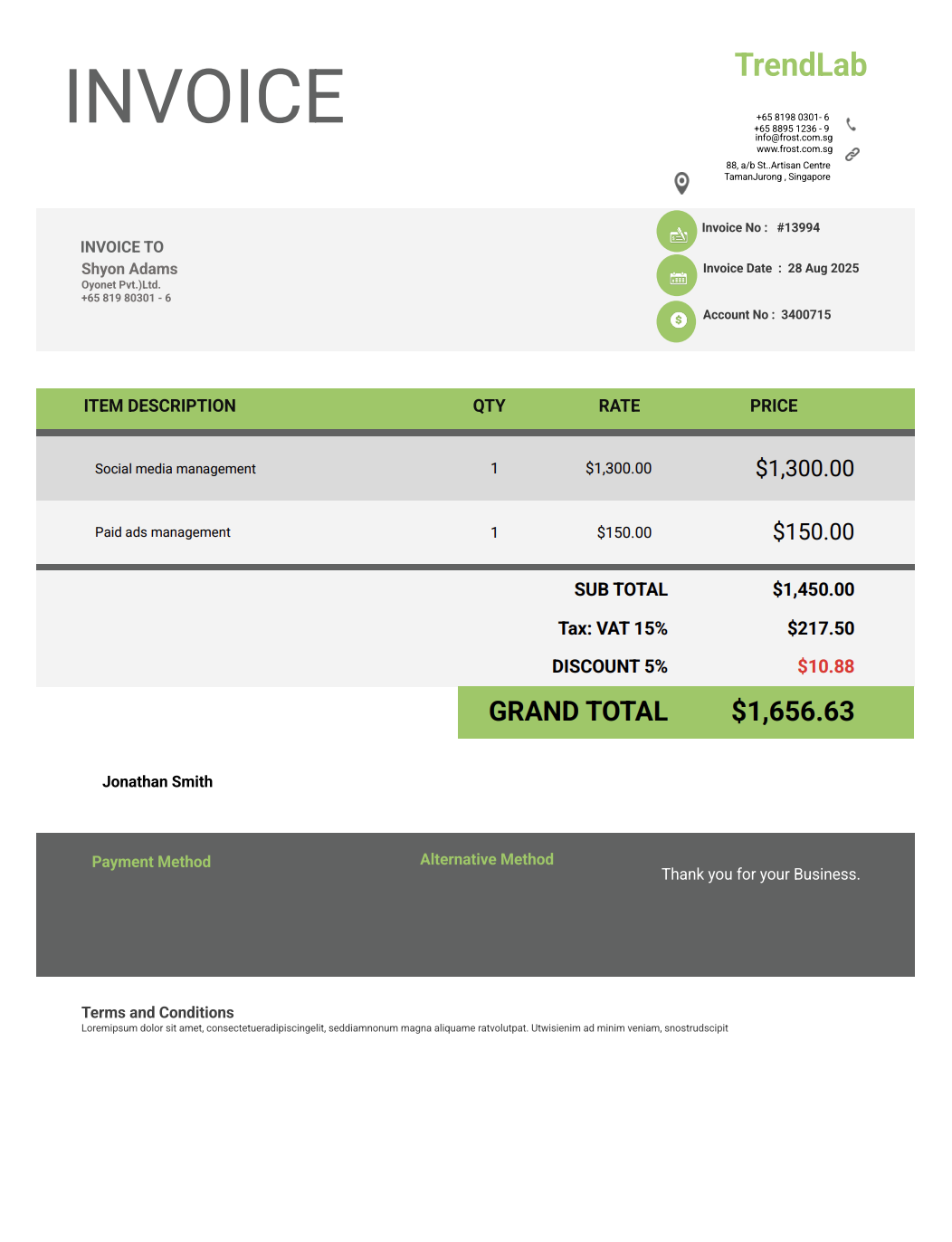
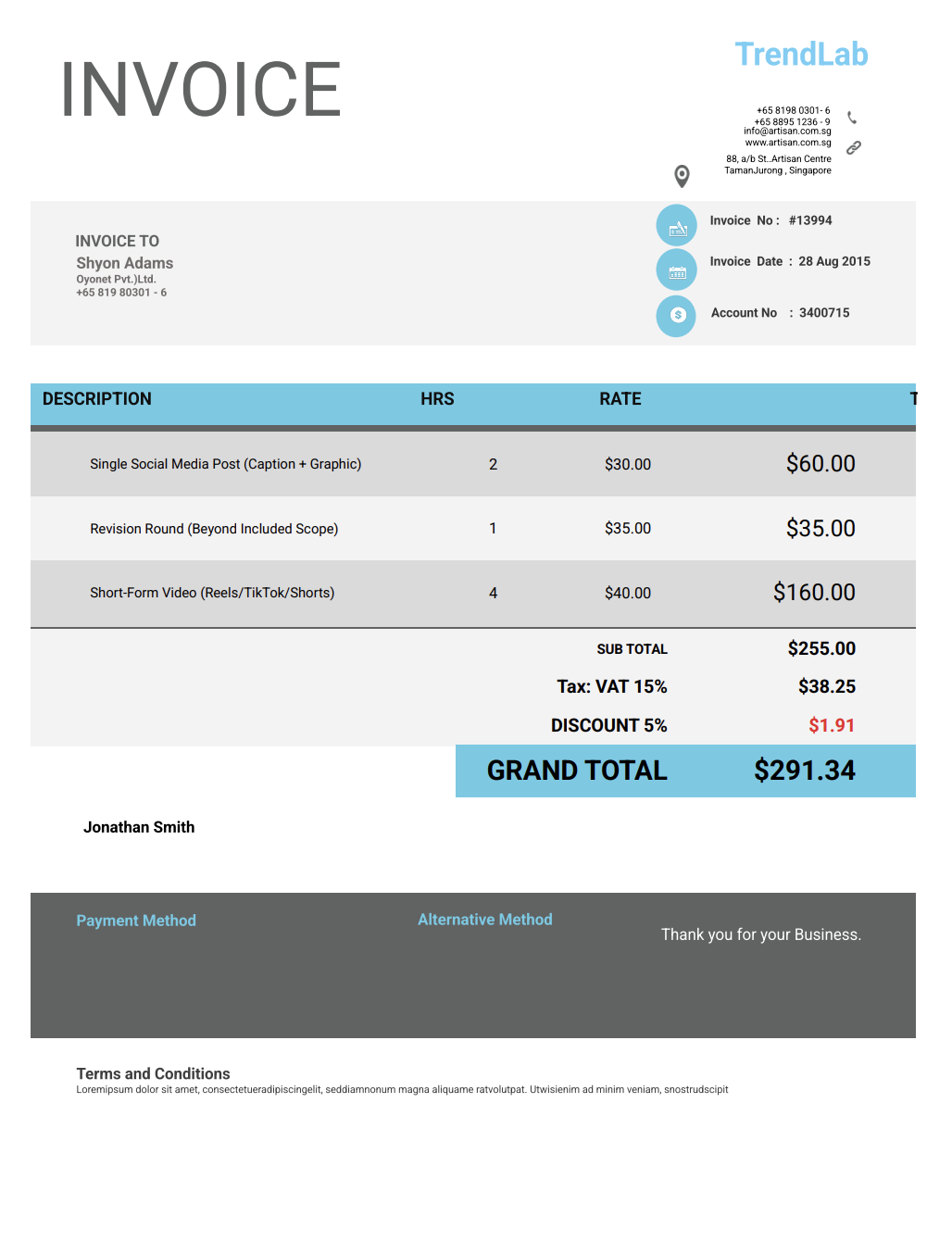
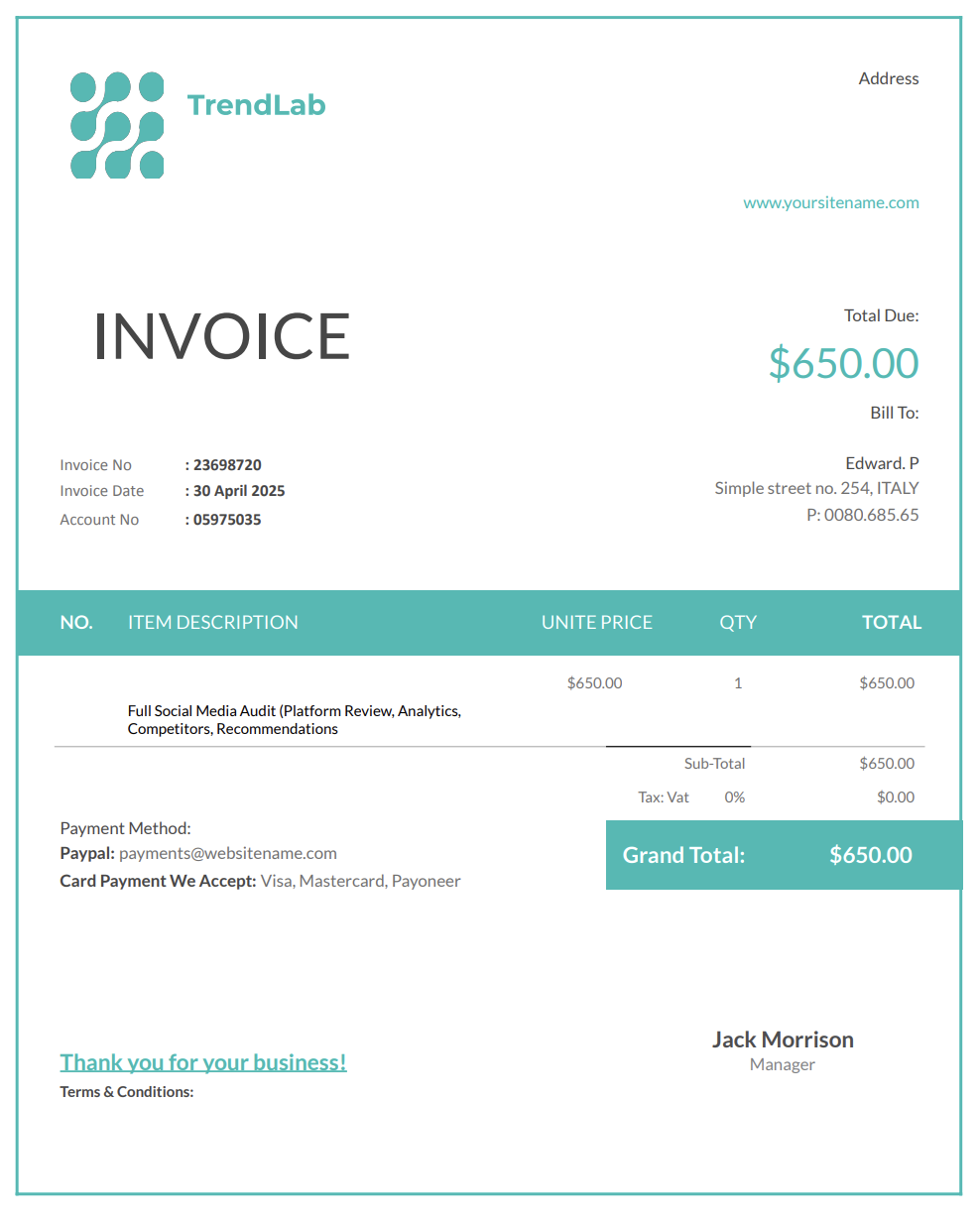
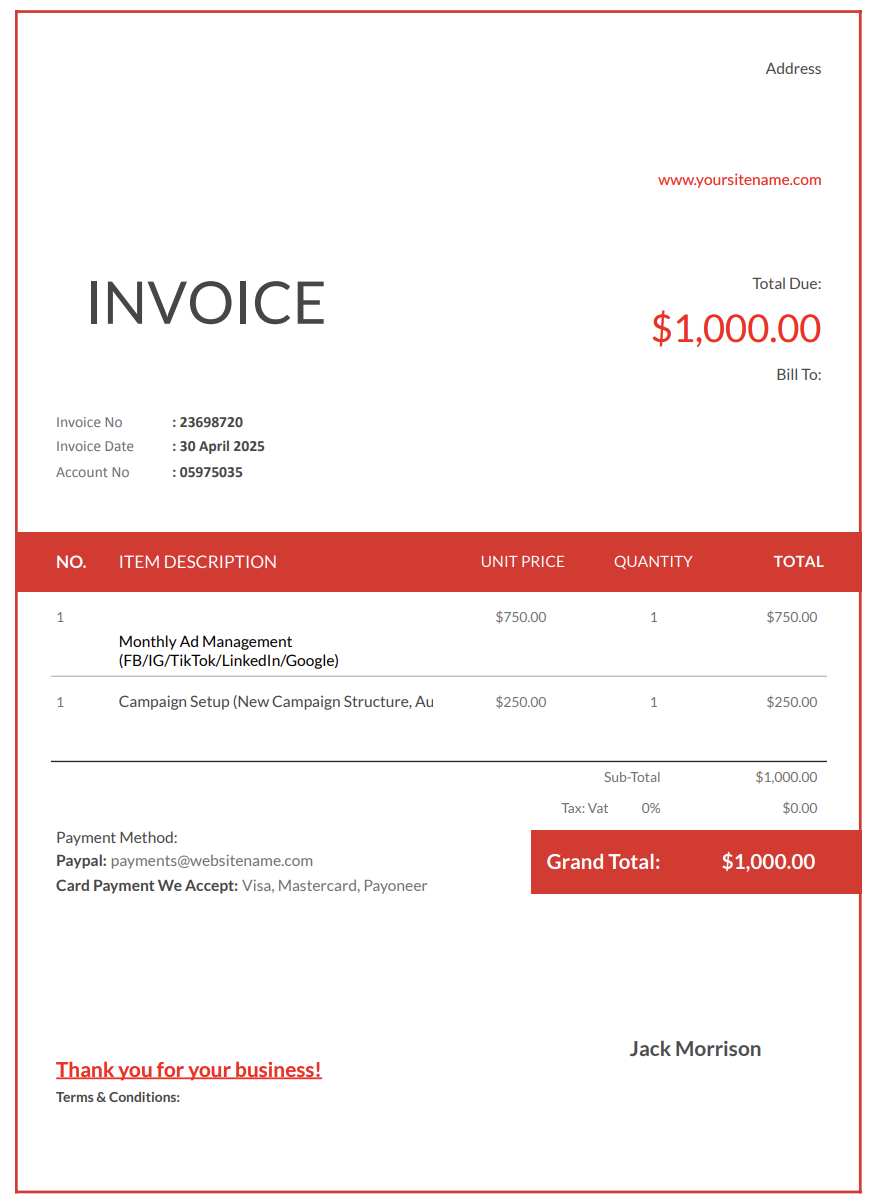
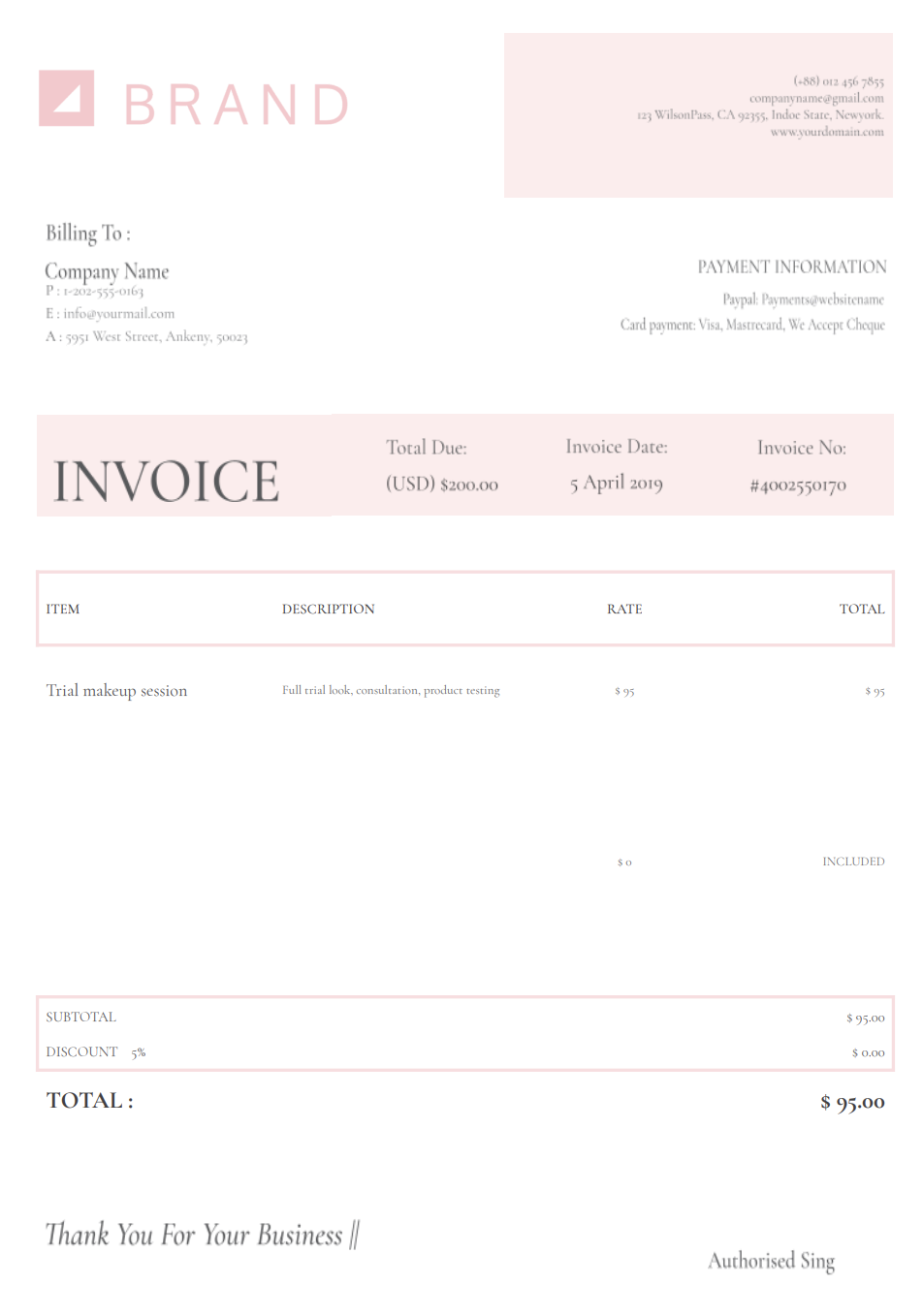
Need a simple and professional way to bill clients for your social media services? A social media manager invoice template helps you outline deliverables, posting schedules, content creation, strategy sessions, analytics, ad management, and monthly packages.
Since social media work involves a lot behind the scenes, detailed invoicing helps clients understand exactly what they're paying for.
No matter if you manage Instagram accounts, TikTok pages, LinkedIn profiles, Facebook pages, YouTube channels, or full multi-platform strategies, a clean invoice helps you get paid on time and removes the awkwardness of reminding clients about payments.
With Invoicer.ai, you can create social media manager invoices in minutes, either by downloading free Word or Excel invoice templates or by customizing and sending invoices online directly through the software (which is much simpler). Once the invoice is ready, you can schedule it to send when it makes the most sense for the job or your billing routine.
Social media management involves strategy, creativity, planning, analytics, communication, and rapid response, which clients often don't fully see.
Without professional invoicing, it's easy for scope creep, late payments, or misunderstandings to happen.
Clients may forget about their retainer, especially if you work on a monthly schedule. A structured invoice sets clear expectations.
From posts and reels to stories, captions, scheduling, engagement, and reporting, social media work has many moving parts. Itemization helps clients see the complete picture.
Clients may ask for "one more reel" or "a couple of extra posts." Clear invoicing helps you charge appropriately for all the extras.
A strong invoice shows professionalism and builds trust, especially with new clients or agencies.
Structured invoices also help you track income month by month and understand which services generate the most revenue.
Every social media project is different. Some clients want a full monthly management package; others only need a one-off content refresh or strategy session.
Having flexible invoice templates helps you adapt to each type of service easily.
Each invoice type below includes a full intro and explanation based on the invoice template's structure.
This is the most common invoice for social media managers. You summarise all the deliverables provided each month: posts, reels, stories, analytics, engagement, scheduling, and strategy calls. A retainer invoice allows clients to pay a consistent monthly fee and helps you maintain a predictable income.
Some clients don't need full management; they only want content created. A content package invoice allows you to charge for a set number of posts, reels, stories, graphics, or short videos.
This structure is perfect for brands that handle posting themselves but rely on you for content creation.
For clients who only need strategy guidance and not ongoing management, this invoice covers services like full audits, competitor analysis, content frameworks, and growth recommendations. These are often one-time projects with clear deliverables.
A strategy invoice clarifies that you are charging for thinking, planning, and expertise, not content creation.
Paid advertising requires separate billing because ad spend is not your income. This invoice allows you to charge for managing Facebook Ads, TikTok Ads, Google Ads, or YouTube campaigns while separating your fee from the client's ad budget.
For brands that want someone to reply to comments, respond to messages, filter spam, and maintain an active presence, a community management invoice lists all these services.
Most social media management is billed as a monthly retainer. A retainer invoice should describe the deliverables and boundaries so the client understands what they are paying for and what counts as additional work.
Common retainer components:
Example line items:
Social media services involve multiple types of work, such as strategy, content, engagement, and analytics, so clarity is important. Every invoice should include:
Business name, your name, email, phone number, and branding, if applicable.
Name, company name, and contact details.
List platforms individually: Instagram, TikTok, Facebook, LinkedIn, YouTube, etc.
Description of what you provided:
If applicable, separate your fee from the client's ad budget.
Clients often request "just one more post". So, list additional content clearly.
Keep totals clear and transparent.
Use due dates like "Payment due within 7 days."
Optional space for content reminders, deadlines, or thank-you notes.
Social media work often relies on third-party tools. If the client covers these costs, list them separately to keep the invoice transparent.
Common reimbursables (when agreed):
Best practice: Separate reimbursables from service fees and attach receipts where appropriate.
Many social media managers deliver a combination of management and content production. Your invoice should separate management work from production so the client can see exactly what they purchased.
Common bundle structures:
Typical production add-ons:
Example line items:
Paid social work usually includes two separate cost categories: your management fee and the client’s ad spend. Keeping these separate avoids confusion and makes invoices easier to approve.
How to structure it:
Example line items:
Even organized clients miss payments when billing isn't clear. These tips will help you get paid on time.
List exact quantities of posts, reels, and stories so expectations remain aligned.
Some clients confuse these services. Invoices help you clarify what's included.
Content edits take time. So, make sure your limits are visible on the invoice.
Retainers work best when clients pay by a consistent date each month.
Predictability improves compliance and reduces late payments.
Social content can expand through rounds of feedback, last-minute pivots, or additional formats requested after the calendar is approved. Your invoice should define what is included and how additional work is billed.
Recommended approach:
Suggested invoice note (optional):
“Includes up to [X] revision rounds per content set. Additional revisions or expanded deliverables are billed separately when requested and approved.”
Example line items:
Social media management often follows a monthly cycle. Here's how most managers handle invoicing:
Send the invoice on the same date each month. Many managers bill at the start of the month for the month ahead.
Send the invoice upon completion or at agreed milestones.
Charge setup fees or strategy fees upfront.
If clients request additional posts or last-minute edits, invoice those separately. Digital invoices are the simplest and let you track when clients view them. Invoicer.ai does this automatically.
Your brand is a big part of how clients see you, and your invoice can show a bit of that style while still staying clean and professional.
Social media clients appreciate visual clarity.
Small Instagram, TikTok, or LinkedIn icons make invoices easier to skim.
Some SM managers include a note with optional upgrades or bundles.
Flexible ways to pay make it easier for clients to settle invoices on time, and Invoicer.ai supports this by offering built-in payment options that make the whole process smoother.
Example: "Engagement increased 6% this month — great progress!"
Word and Excel can't scale with your business — constant copying, editing, and formatting waste time. QuickBooks is powerful but too complex for simple social media billing.
Invoicer.ai offers the perfect middle ground for service professionals:
You can also create invoices for social media services using our AI Invoice Generator. Just write a simple prompt and it builds the invoice for you, giving you an even faster way to get accurate, professional results.
You can stick with templates if that's your style, let AI take care of the setup when you want something quick, or always create invoices manually for a hands on approach.
Social media management takes creativity, planning, and strategy, and invoicing shouldn't take the same energy.
A social media manager invoice template keeps your billing organized, transparent, and stress-free so you can focus on delivering results.
Start your social media invoice today and make getting paid the easiest part of your workflow.