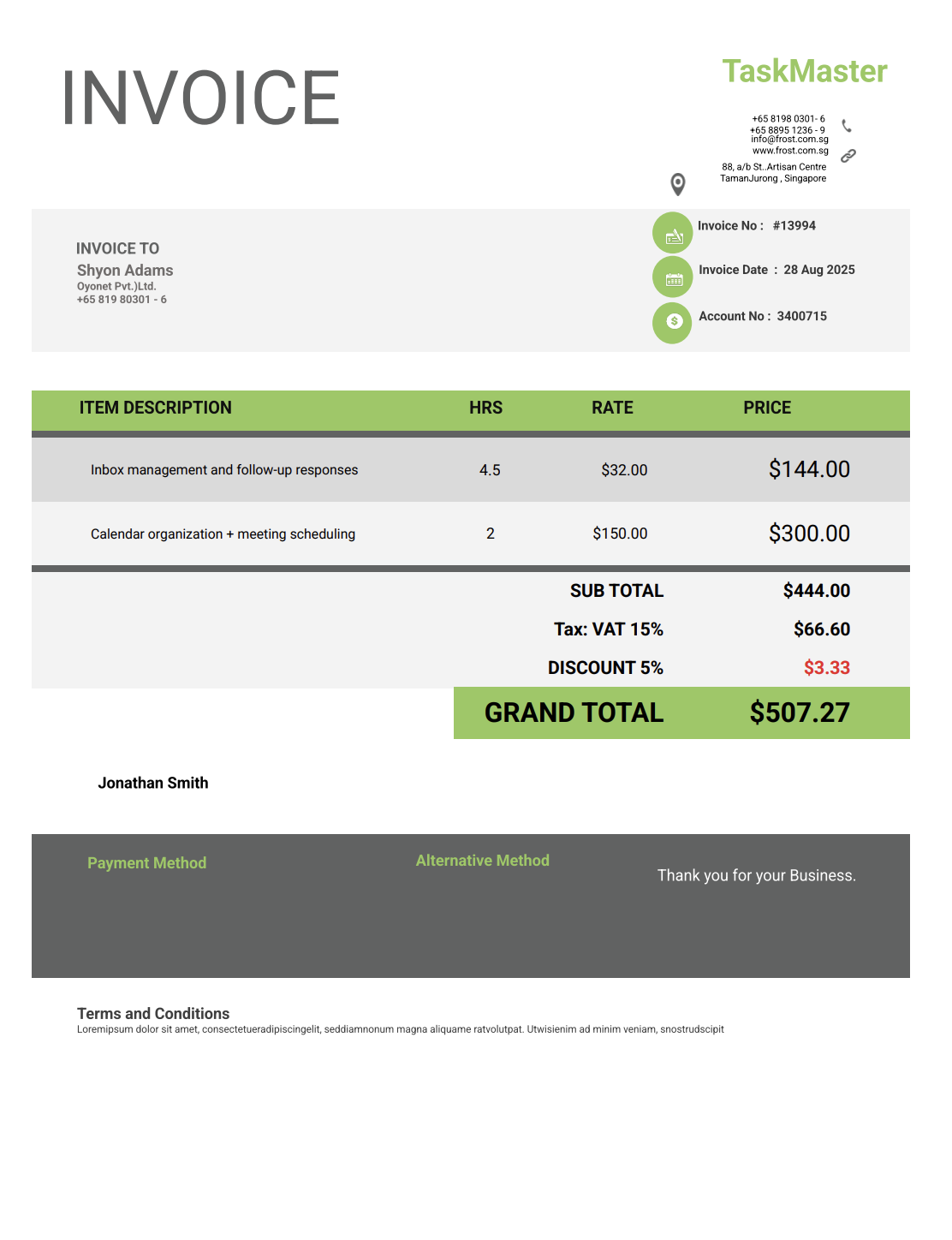
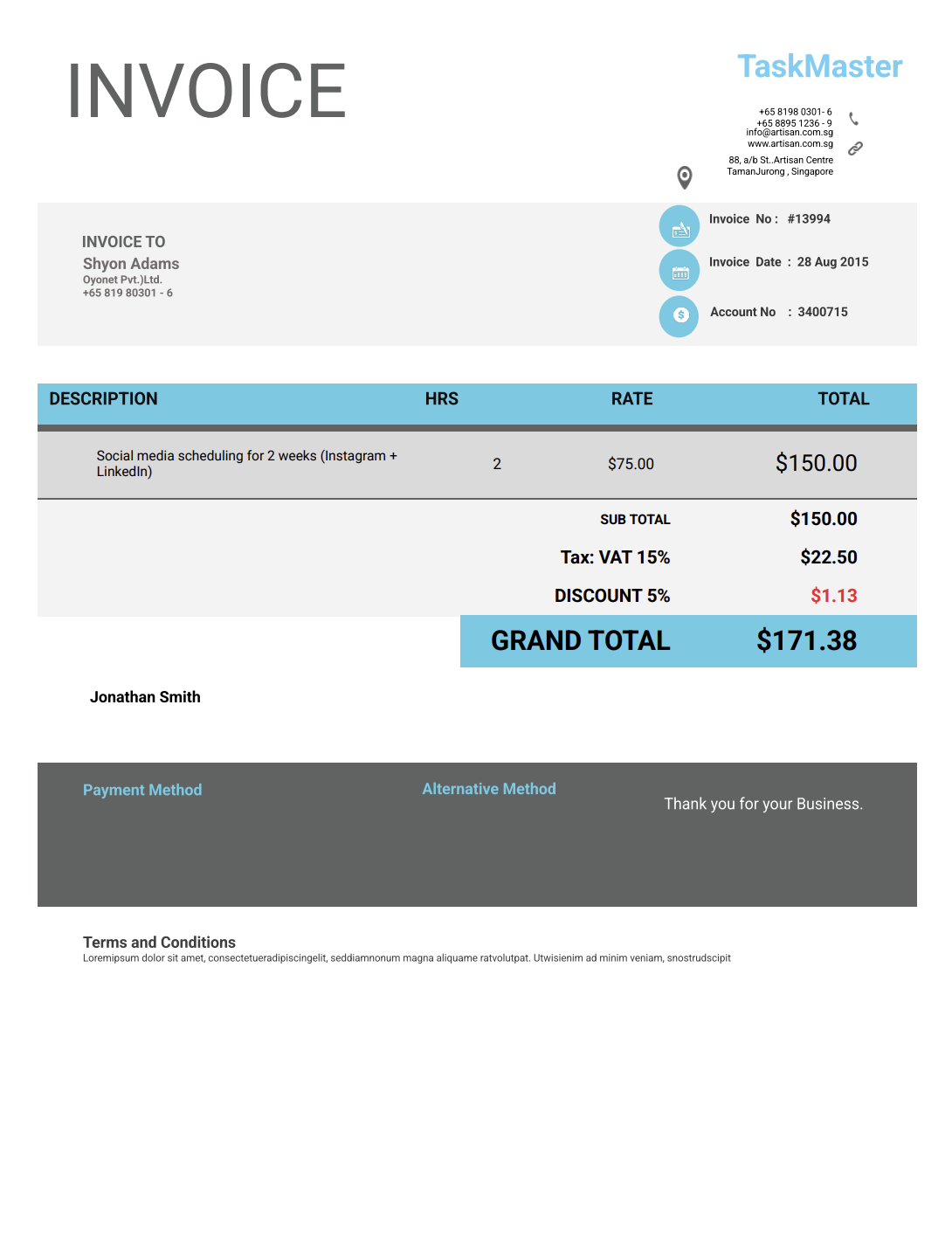
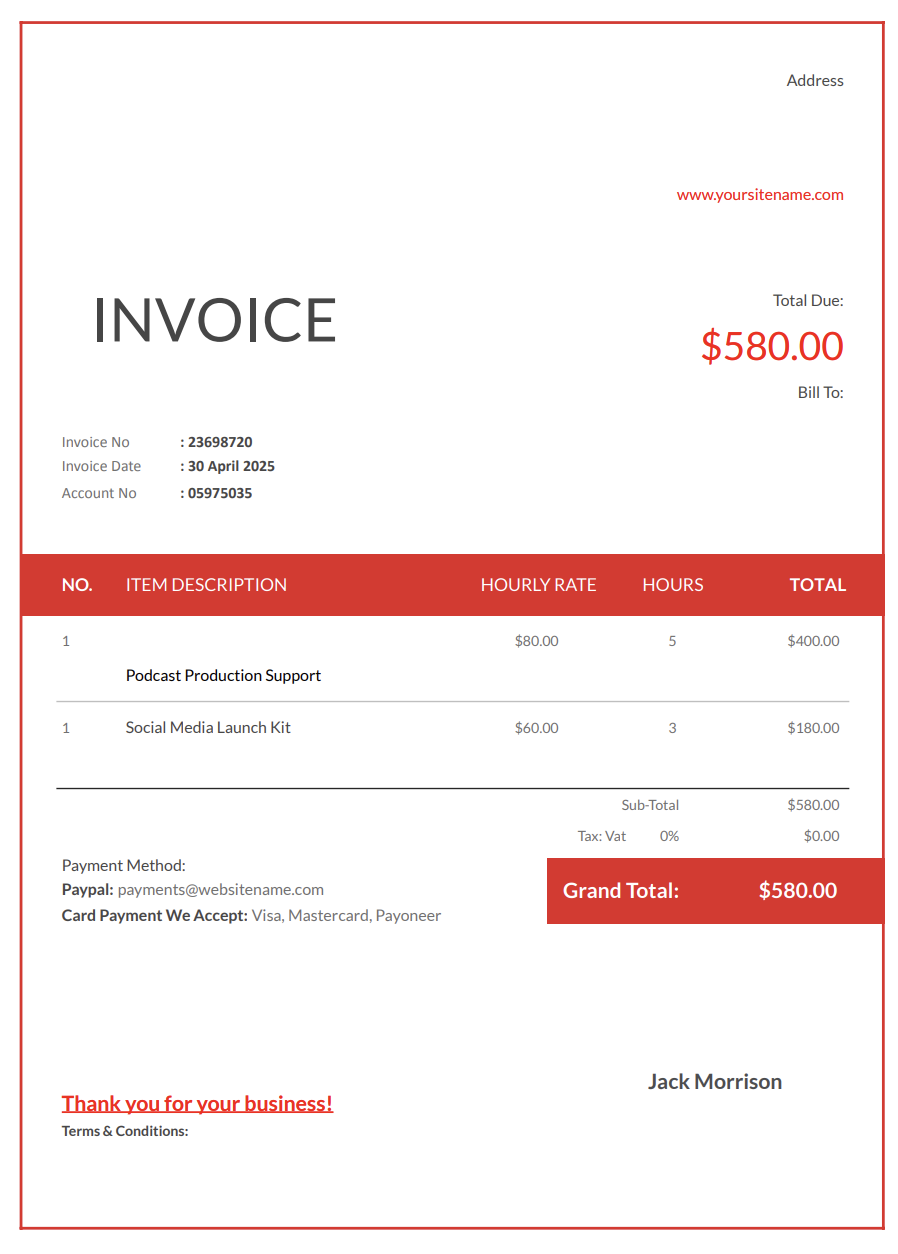
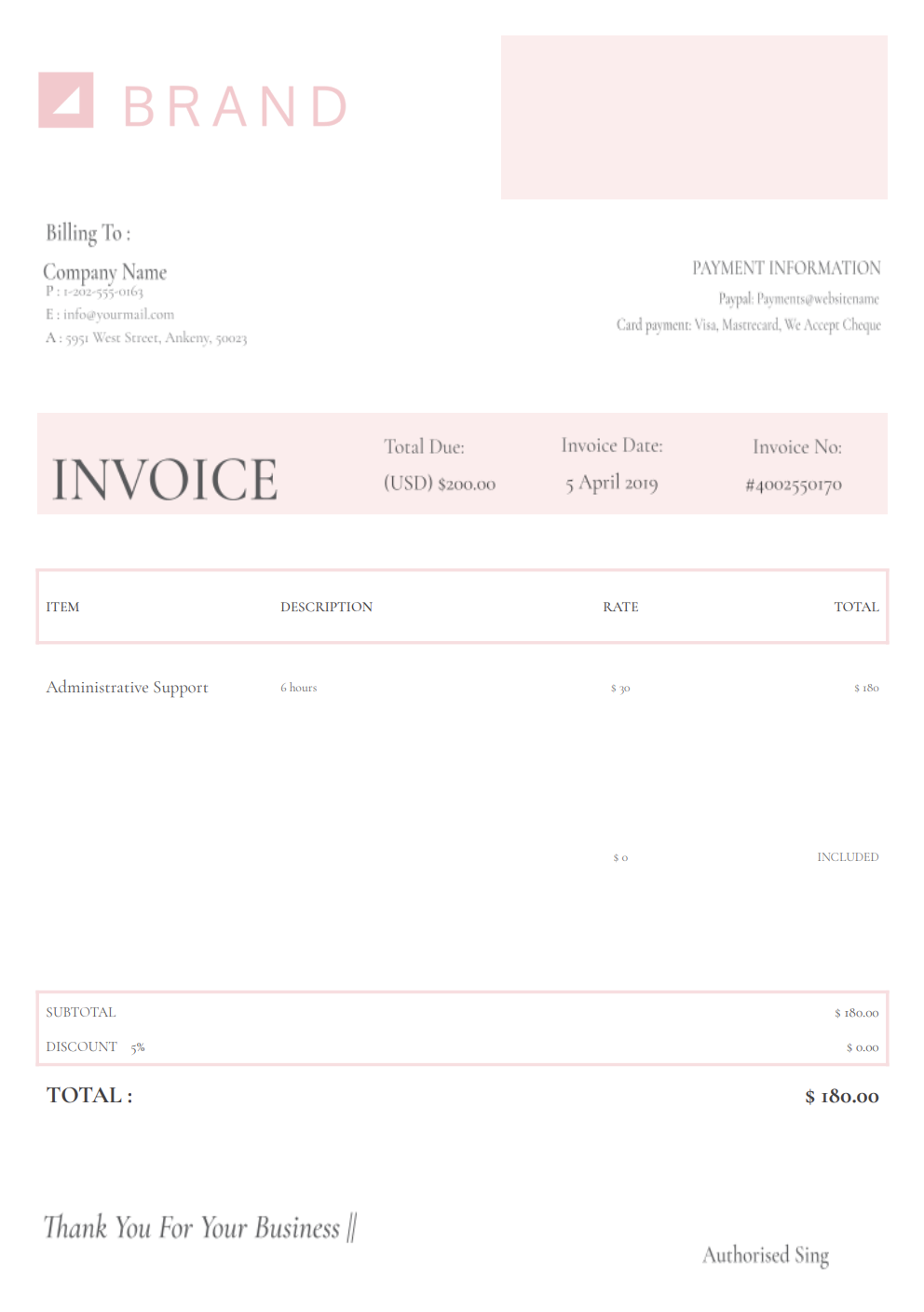
Most virtual assistant work happens far beyond the tasks clients see, like the organized inbox, polished documents, scheduled appointments, or neatly updated spreadsheets.
The real effort happens behind the scenes: sorting information, managing calendars, coordinating communications, preparing reports, troubleshooting digital chaos, handling unexpected requests, and keeping workflows together while clients bounce between priorities.
A virtual assistant invoice template gives you a dependable way to show everything that went into supporting a client — from the administrative labor to the detailed prep work that keeps their business running smoothly.
With Invoicer.ai, you can create virtual assistant invoices in minutes, either by downloading free Word or Excel invoice templates or by customizing and sending invoices online directly through the software (which is much simpler).
Virtual assistants handle a wide mix of responsibilities, and without structured invoicing, essential details can quickly get lost between tasks, client requests, and recurring assignments.
A lot of VA work happens invisibly, such as organizing digital files, updating CRM entries, compiling data, preparing summaries, or coordinating with vendors.
When these tasks aren’t documented, clients may underestimate the time or skill involved. A detailed invoice fills in those gaps and shows the real scope of your work.
Virtual assistants juggle unpredictable tasks: urgent emails, rescheduled meetings, last-second research, or unexpected admin jobs. Listing these clearly helps clients understand why your hours vary and how much actually gets done behind the scenes.
Most clients use several software systems — calendars, project management tools, messaging apps, CRMs, and billing platforms. Switching between them takes time and organization.
A structured invoice lets you document which platforms you handled and for how long.
Some projects span days or weeks with recurring duties. Invoices help track progress and outline what was completed within a billing period, reducing confusion.
A well-formatted invoice reinforces your reliability. It shows clients you manage administrative work professionally and with clear attention to detail.
Virtual assistants perform many types of tasks, so your invoice format should match the type of support you’re offering. Here are the most common formats for virtual assistants:
The most common format for virtual assistants. Perfect for mixed tasks, ongoing administrative support, and weekly or monthly client work. It includes total hours worked, hourly rate, and a breakdown of tasks completed.
Ideal when you charge per task or project. Includes specific assignments (like data entry, research, travel booking, transcription, scheduling, or presentation prep) along with costs for each item.
Used for clients who purchase a set number of hours per month. The invoice lists the retainer package, hours included, hours used, and any additional time billed separately.
Best for one-time assignments like building a spreadsheet, organizing databases, setting up workflows, updating a website, or creating onboarding documents.
Useful when clients pay immediately for small tasks. It confirms payment and keeps your records consistent.
Many virtual assistants bill clients on a monthly retainer or a prepaid block of hours. A clear retainer invoice reduces questions and helps clients understand exactly what they are paying for each month.
Two common retainer structures:
What to include on a retainer invoice:
Example line items:
A great VA invoice is detailed but easy for clients to understand. It gives transparency without overcomplicating the structure.
Include your name or business name, phone number, email, website, and any brand details you use. It makes it easier for clients to contact you for future work.
Add the client’s full name, company name, and email. Many virtual assistants support multiple people in the same organization, so clarity matters.
List the tasks you completed, such as:
Clear descriptions build trust and show your value.
Whether you charge hourly, by task, or via retainer, list the exact amount of time or number of units completed.
Optional but useful, especially when clients rely on multiple systems.
Show your hourly rate or per-task rate and how you calculated the total.
Record tasks added mid-project, urgent assignments, or high-priority requests.
A clear, itemized breakdown avoids misunderstandings.
Include due dates, retainer policies, late fees, and payment instructions.
Use this to share account updates, recommendations, or reminders for the next billing cycle.
Some VA work requires paid tools or client-specific expenses. If the client reimburses these costs, listing them separately keeps the invoice clean and avoids mixing expenses with service fees.
Common reimbursables (when agreed):
Example line items:
VA work covers many small tasks. Categorizing your work makes invoices easier to approve and helps clients see the value without reading a long list of micro-activities.
Common task categories to use:
Example line items:
If you bill hourly, adding a simple time summary helps clients approve invoices faster. The goal is to be clear and not over-explain.
Recommended time log format:
Example entries:
Late payments often happen when expectations aren’t fully aligned. These habits help create a better, more professional billing process.
The more precise your task descriptions, the fewer follow-up questions you’ll receive.
Whether weekly, biweekly, or monthly, quick invoicing helps clients pay faster.
Adding a due date prevents payments from drifting or being forgotten.
If clients request new tasks during the month, list them as separate line items to maintain transparency.
Regularity makes everything feel more organized and helps clients plan their budgets.
VA work can expand quickly when new tasks are added mid-week. A simple process for additional work keeps billing transparent and protects your time.
Best practice:
Example line items:
If a client needs same-day turnaround or support outside your normal working hours, adding a rush surcharge keeps expectations clear and discourages last-minute chaos from becoming the default.
How to bill it:
Example line items:
Billing frequency depends on the type of relationship you have with the client.
Send invoices at consistent intervals: end of week, end of month, or according to your contract.
Send the invoice immediately after completing the task so payment stays fresh in the client’s mind.
Invoice before the month begins or as outlined in your agreement.
If the client adds tasks outside the original scope, send an additional invoice or create a new line item to keep everything documented.
Digital invoices make these steps easier, and Invoicer.ai also shows when clients have viewed the invoice, which is helpful for keeping communication open.
Your invoice doesn’t need to be fancy, but it should reflect your professionalism and organizational skills.
A well-designed logo or clean formatting helps reinforce your identity as a dependable service provider.
A quick overview of major accomplishments shows clients exactly what they gained from your support.
If you solved a recurring issue, streamlined a workflow, or organized a chaotic system, include a short note.
Invoicer.ai offers built-in payment features, making it easier for clients to settle invoices without delays.
Let them know how many hours they used, how much value they received, and what’s planned for next month.
Word and Excel require formatting every time you start a new invoice. QuickBooks is designed for full accounting systems, which many virtual assistants don’t need.
Invoicer.ai gives you the simplicity of templates with the speed of online invoicing.
With Invoicer.ai you get:
No unnecessary tools. No formatting headaches. Just clear invoices that help you stay organized and get paid faster.
You can also create invoices for virtual assistant services using our AI Invoice Generator. Just write a simple prompt and it builds the invoice for you, giving you an even faster way to get accurate, professional results.
You can stick with templates if that's your style, let AI take care of the setup when you want something quick, or always create invoices manually for a hands on approach.
Virtual assistant work already demands planning, flexibility, and constant context-switching. Your invoicing shouldn’t take that kind of effort.
A solid virtual assistant invoice template keeps everything tidy and easy for clients to understand, helping you stay focused on the work that actually moves their business forward.
Create your virtual assistant invoice today and make getting paid the easiest task on your list. Once the invoice is ready, you can schedule it to send when it makes the most sense for the job or your billing routine.