


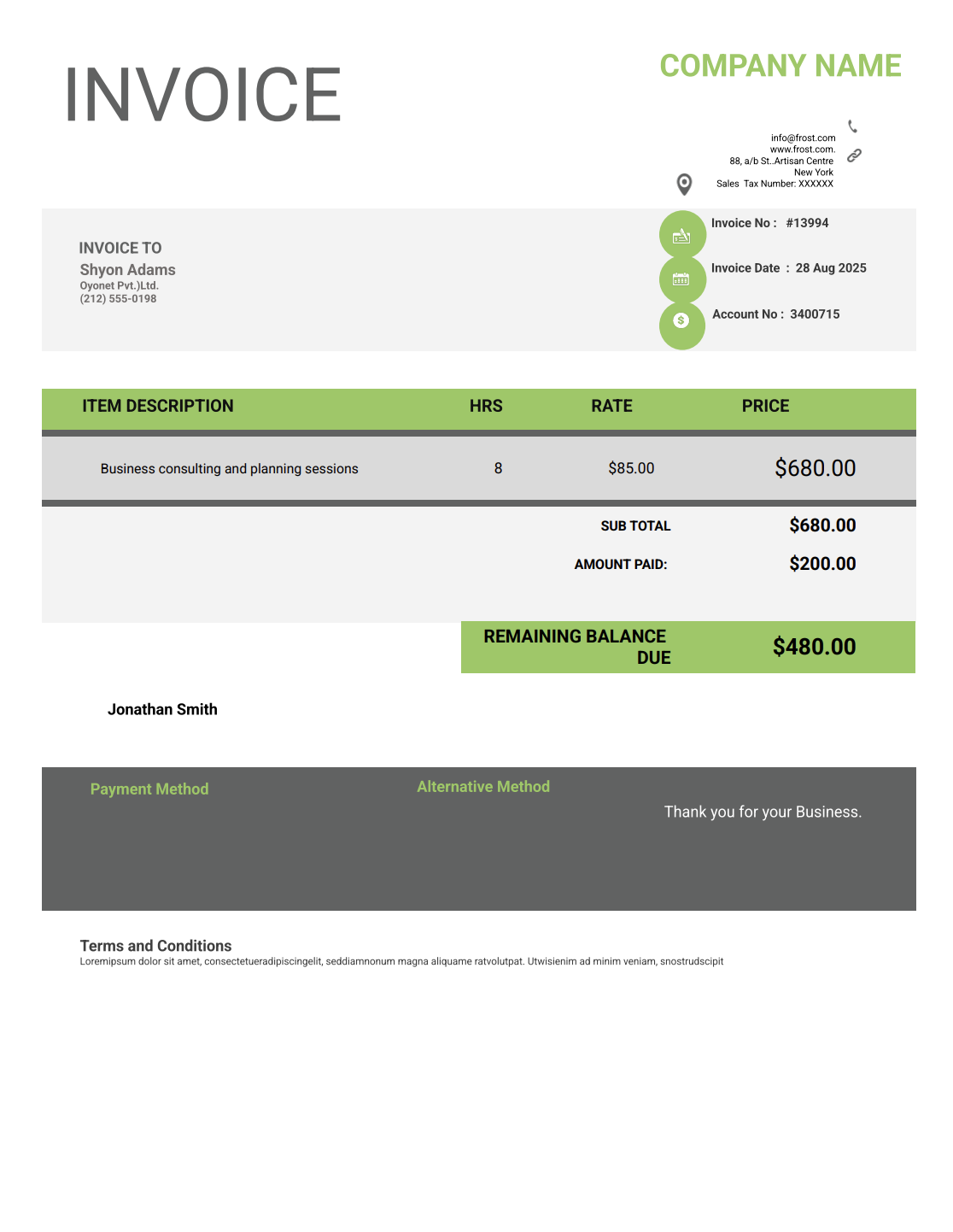
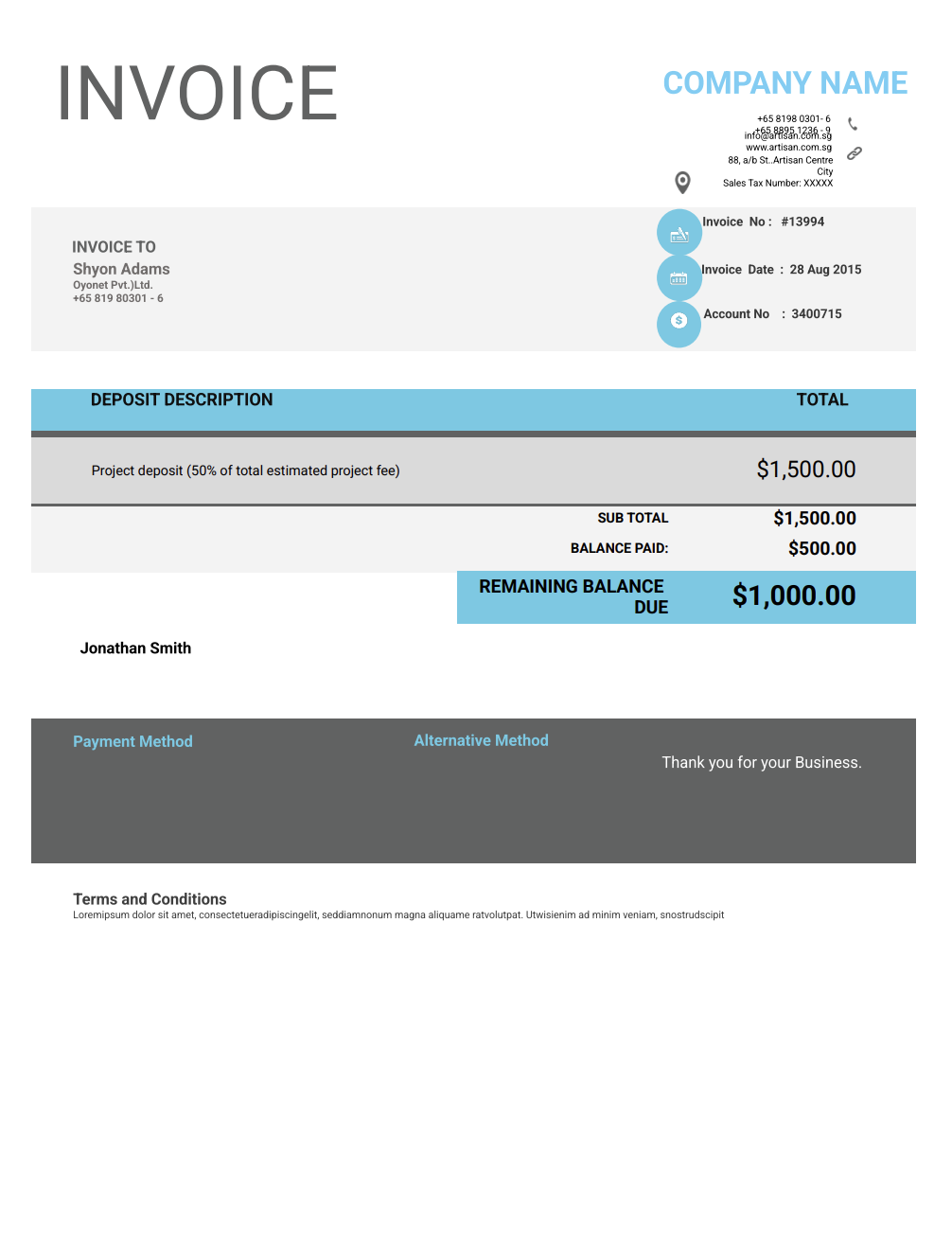
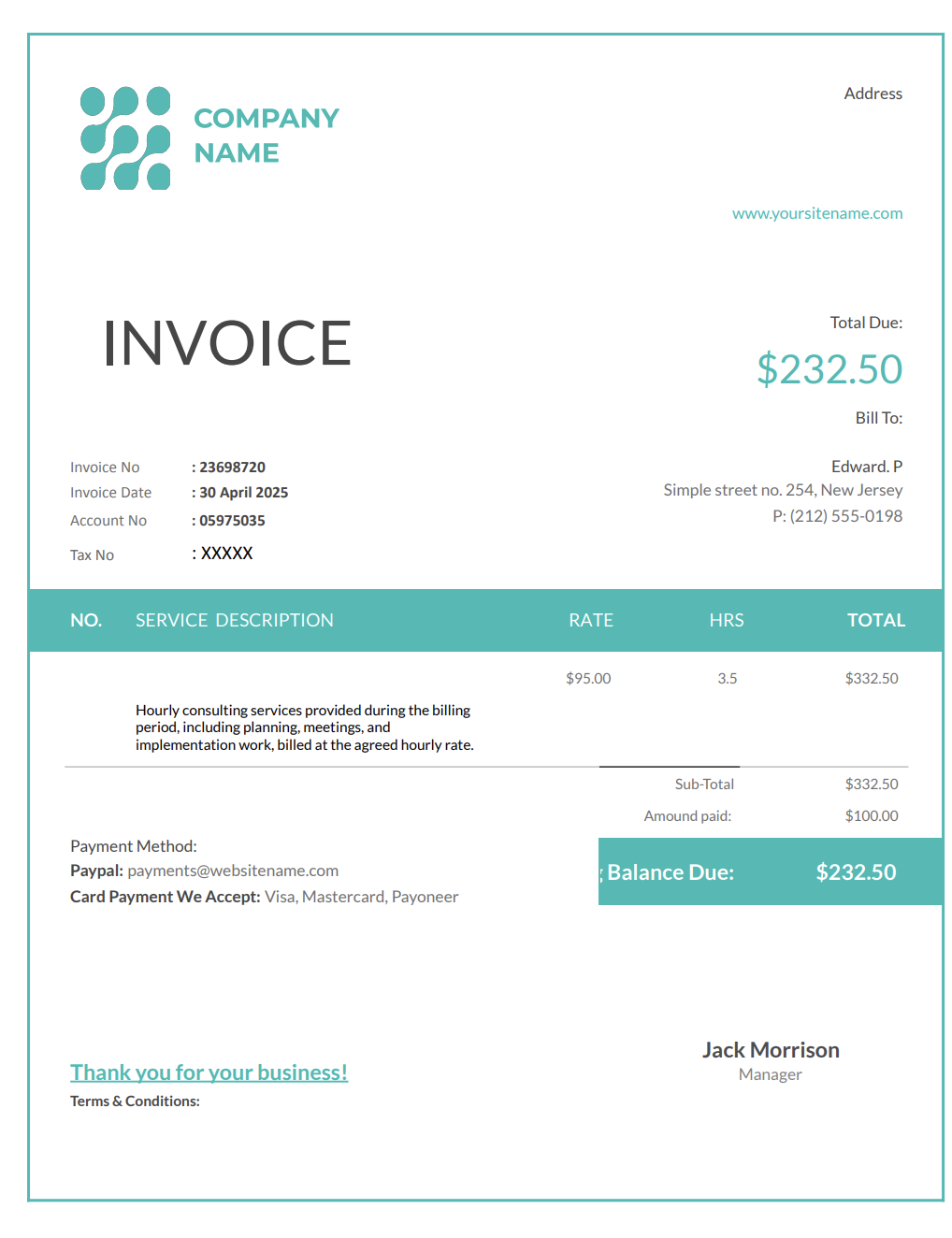
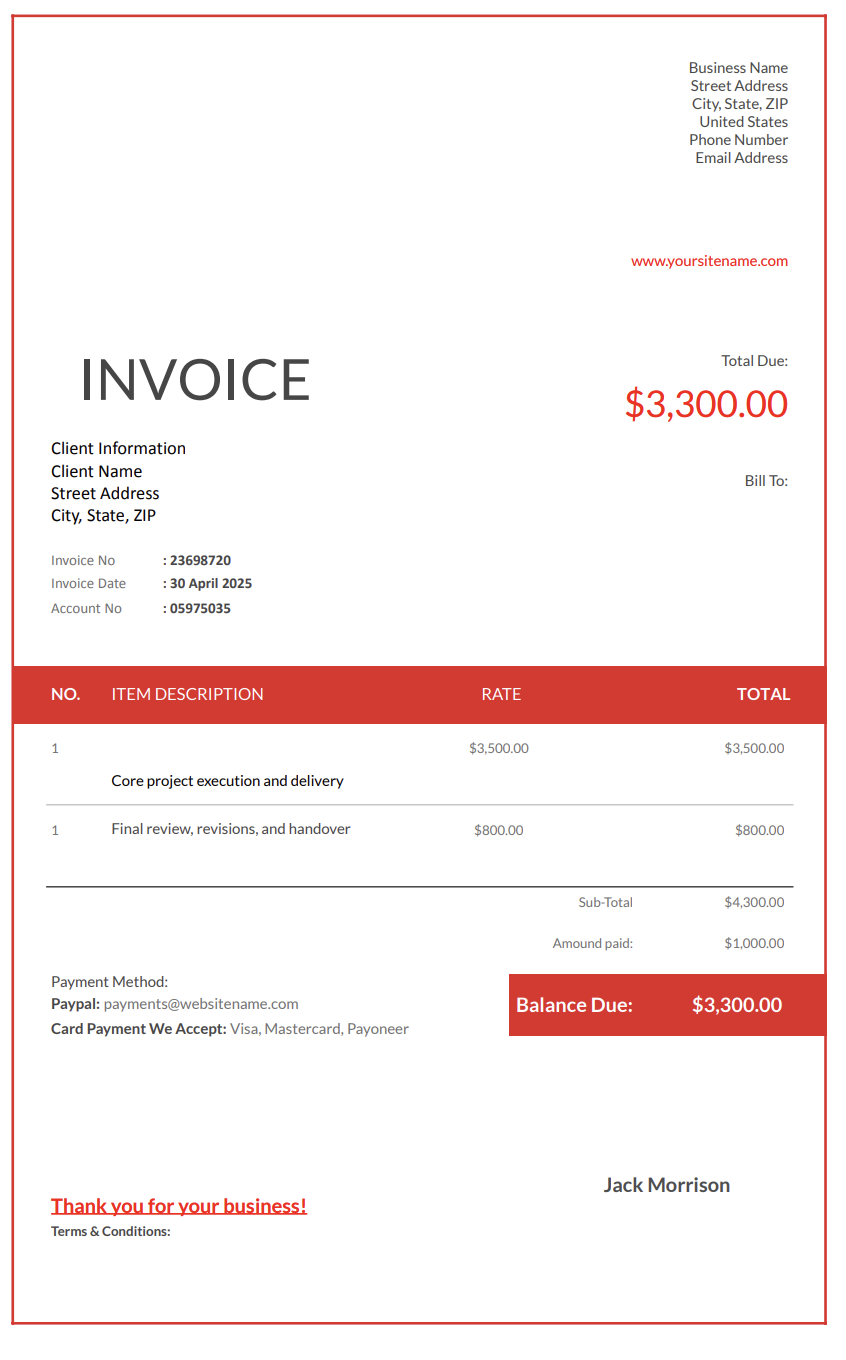
Contractors rarely send just one invoice per project. Payments are usually spread across deposits, progress invoices, change orders, and final balances, often over weeks or months. By the time an invoice lands in a client's inbox, some payments may already be made, others approved, and a few still under discussion.
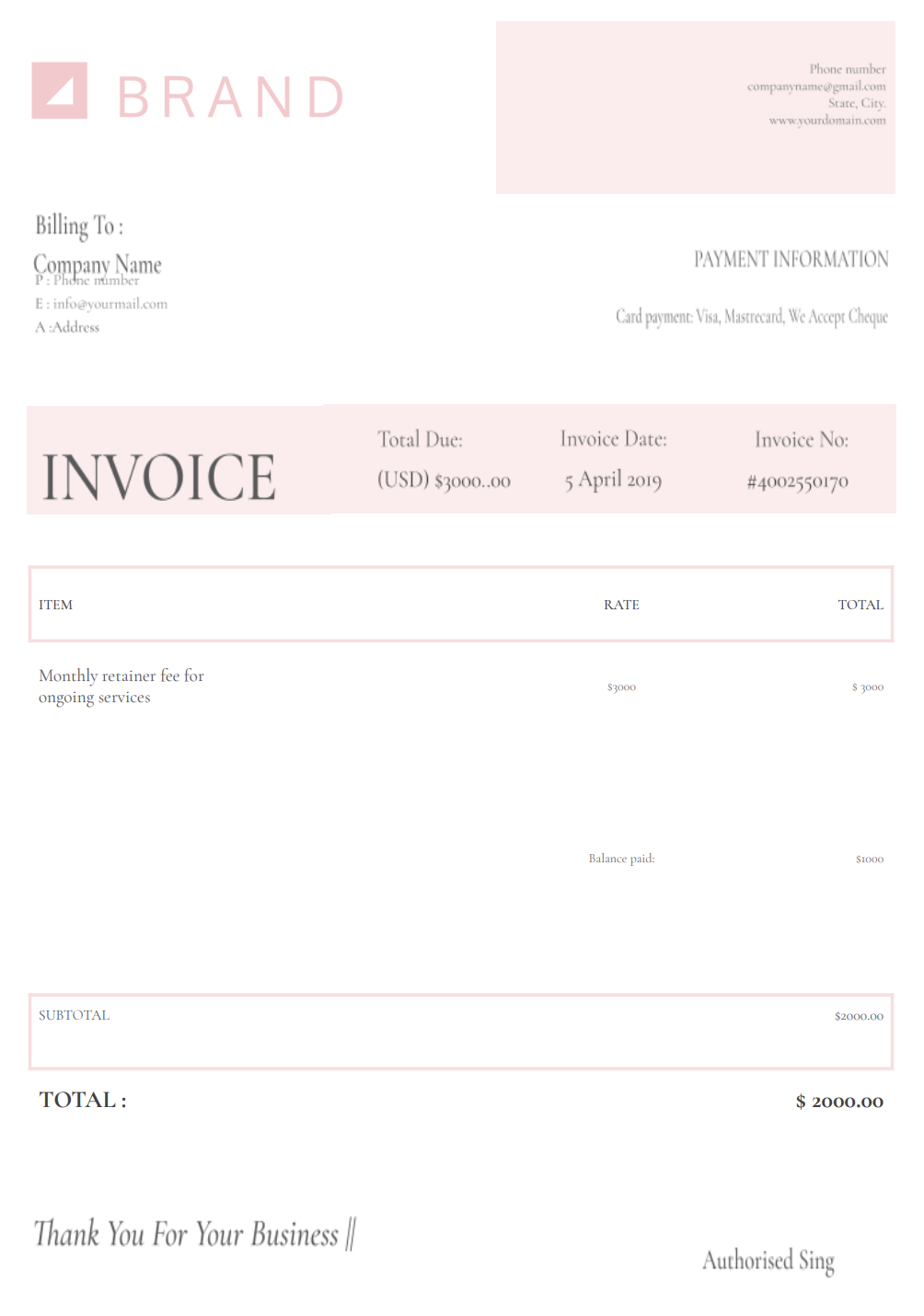
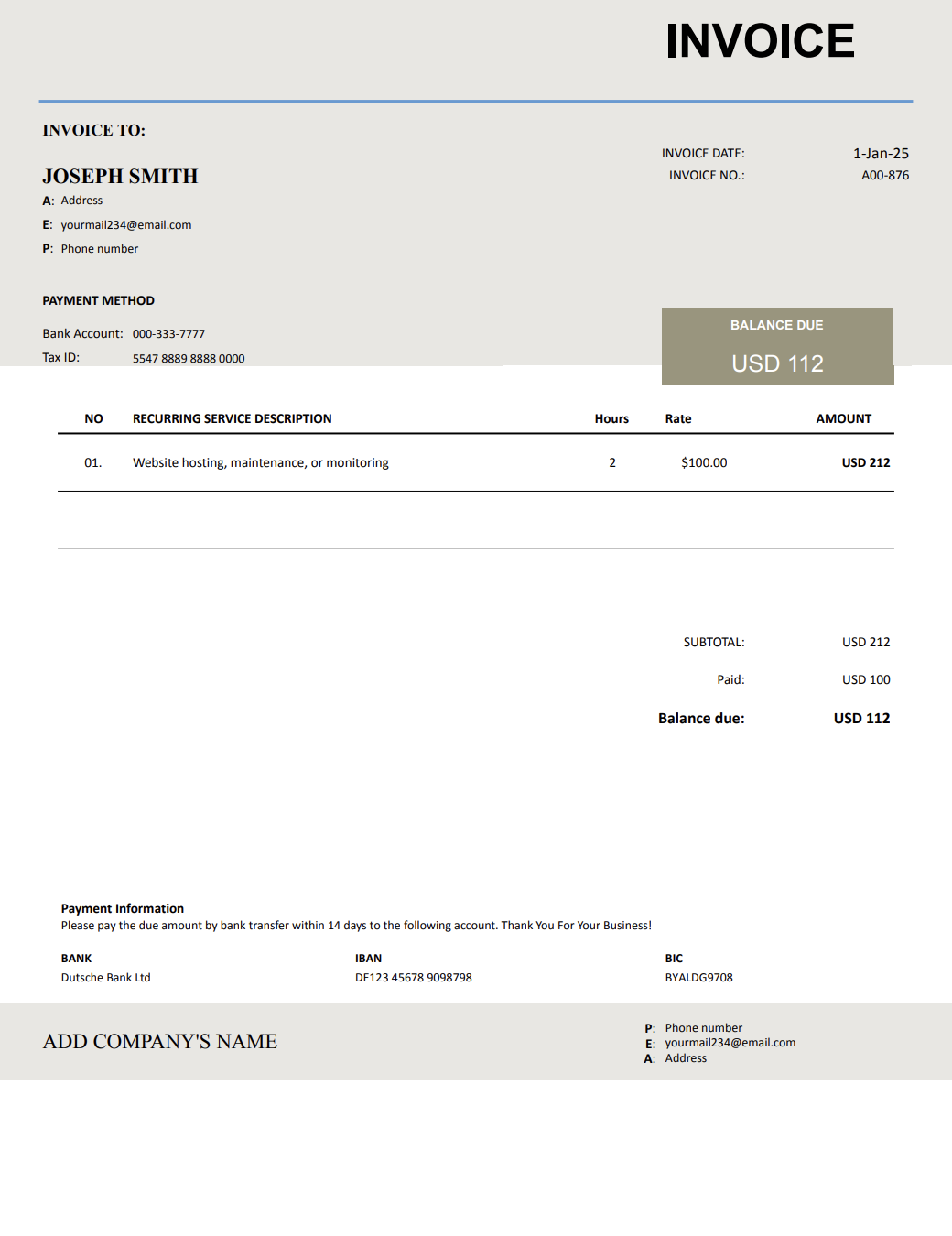
That's exactly why invoice templates with remaining balance due exist. An invoice that shows only the current amount due leaves out critical context. Clients want to see what they've already paid, what this invoice represents, and what balance will remain once it's settled.
Even small contracting businesses are expected to invoice with the same clarity as larger firms. Clients, lenders, property managers, and accountants rely on invoices to understand the full financial status of a project, not just the latest charge.
With Invoicer.ai, contractors can create professional invoices with remaining balance due in minutes. You can download free Word or Excel invoice templates or create and send invoices online through the platform, depending on how you prefer to work.
Invoices are not just payment requests. They are also financial records that shape how clients perceive the project.
When the remaining balance is visible, clients immediately understand where the project stands financially. They don't need to search for past invoices or ask for clarification before approving payment.
Many invoice disputes are not about the work itself. They come from uncertainty about totals. Showing the remaining balance due reduces misunderstandings about overbilling or duplicated charges.
Contractors benefit just as much as clients. Seeing the remaining balance across projects makes it easier to forecast cash flow and manage upcoming expenses.
Invoices that display the remaining balance due signal organization and control. They show that billing is being managed deliberately, not improvised.
The remaining balance due is the amount still owed on a project after accounting for all previous invoices, credits, and payments.
An invoice with a remaining balance due includes:
Remaining balance due invoices are useful across a wide range of contracting scenarios.
Homeowners often pay in stages but do not track totals carefully. Showing the remaining balance reassures them that payments are aligned with the agreement.
Invoices may pass through multiple reviewers. The remaining balance due helps accounting teams approve invoices without requesting additional documentation.
For recurring or long-term work, the remaining balance due helps clients understand cumulative charges over time.
Invoices that show deposits applied against the total contract prevent confusion about what has already been paid.
Basic invoice templates are created for one-time services. They include:
That works for simple jobs. However, it fails on projects with multiple payments.
Invoice templates with remaining balance due add:
This additional structure is what makes them suitable for real-world contracting work.
The terms remaining balance due and outstanding balance often get used as if they mean the same thing. In practice, they describe different parts of the billing picture, and mixing them up is a common source of confusion for clients.
The remaining balance due shows the big picture. It tells the client how much of the total project cost is still left after taking previous payments into account. When clients see this number, they immediately understand where the project stands financially and what will remain after the current invoice is paid.
The outstanding balance is narrower. It refers to unpaid invoices that have already been issued. This is the number accountants care about when tracking overdue payments or sending reminders, but it doesn't always reflect the full costremaining on the project.
On projects with multiple invoices, both numbers can exist at the same time. A client may have an outstanding balance from an unpaid invoice, while there is still a much larger remaining balance due on the overall contract.
Remaining balance due and progress billing often work together, but they are not the same thing.
Progress billing focuses on when invoices are issued.
The remaining balance due focuses on what information each invoice displays.
When combined, progress invoices show:
The concept stays the same, but the level of detail changes.
Invoices usually show:
Invoices may break remaining balances down by:
Contractors get the most value from remaining balance invoices when they follow a few practical rules.
Effective practices include:
The most accurate and widely accepted way to calculate the remaining balance due is based on payments received, not invoices issued.
The calculation looks like this:
Remaining Balance Due = Revised Contract Total − Payments Received to Date
The revised contract total should always include the original contract amount plus any approved change orders. Payments received should include deposits, progress payments, and any other amounts already paid by the client.
This method reflects what the client truly owes, regardless of how many invoices have been sent.
Imagine a project with the following details:
The original contract is $50,000. During the project, $10,000 in change orders were approved, bringing the revised contract total to $60,000.
The client has paid a $10,000 deposit and a $15,000 progress payment, for a total of $25,000 paid so far.
To calculate the remaining balance due, subtract payments received from the revised contract total:
$60,000 − $25,000 = $35,000
That $35,000 is the remaining balance due on the project at that point in time.
Deposits should always be treated as payments received and applied against the total contract value.
Example:
Before the invoice is paid:
After the invoice is paid:
Even well-organized contractors occasionally discover that an invoice shows an incorrect remaining balance due.
The error can come from a missed payment, an unrecorded change order, a deposit applied incorrectly, or a simple calculation mistake. What matters most is how the correction is handled.
Correcting the invoice properly protects cash flow, preserves client trust, and keeps billing records defensible if questions arise later.
Before issuing any correction, it's important to understand what caused the incorrect balance. Common causes include:
Invoices should not be deleted or silently edited after being sent. Doing so creates gaps in the billing record and can raise questions later.
The correct approach depends on the situation, but generally includes:
Transparency is more important than speed. Clients are far more accepting of a correction when it is explained clearly.
When an invoice has already been issued with an incorrect remaining balance, a credit note or adjustment invoice is often the cleanest solution.
This approach:
The corrected remaining balance should always be shown after the adjustment is applied, not hidden in notes or explanations.
Errors do not usually damage relationships. Poor communication does.
When sending a corrected invoice:
Avoid over-explaining things or assigning blame. Professional and factual communication keeps the focus on resolution.
Once an error is corrected, all future invoices must reflect the updated figures.
An invoice template with the remaining balance due should clearly show:
Business name
Contact details
License number, if required
Client name
Project name or reference
Service location
Invoice number
Invoice date
Payment terms
Due date
Original contract value
Approved change orders
Revised contract total
Amount previously billed
Payments received
Current invoice amount
Remaining balance due
Clients should never need to calculate totals themselves.
Late payments are often caused by uncertainty, not unwillingness.
Invoices with remaining balance due:
Clear numbers reduce resistance.
Timing still matters. An invoice may be clear and accurate, but if it's sent at the wrong moment, it can still slow things down.
Sending invoices immediately after work is completed keeps billing aligned with progress.
Monthly or bi-weekly invoices help clients expect and plan for payments.
Updated remaining balances help clients understand how changes affect the total cost.
When the remaining balance figures aren't clear or don't change as expected, approvals slow down, and questions start piling up. The mistakes below are some of the most common and also the easiest to avoid.
One of the most frequent issues is leaving the remaining balance unchanged from one invoice to the next. When clients see the same balance repeated, it raises immediate doubts about accuracy, even if the current invoice amount is correct.
Adding change order amounts directly into the contract total without clearly labeling them makes invoices harder to understand. Clients need to see what was part of the original agreement and what was added later to feel confident approving updated balances.
Invoices sent out of order, skipped invoice numbers, or delayed billing can make it difficult for clients to follow cumulative totals. When the sequence feels unclear, the remaining balance figures lose credibility.
Changing layouts, labels, or terminology from one invoice to the next forces clients to re-learn how to read each invoice. Even small format changes can slow approvals and increase questions.
Confusing billed amounts with payments received is a subtle but damaging mistake. When invoices do not clearly separate these figures, clients may misinterpret what they actually owe.
Deposits should always be shown as payments received. Listing them as line-item charges or ignoring them in balance calculations creates unnecessary disputes later in the project.
Invoicer.ai works better than traditional invoice templates with remaining balance due by keeping billing organized without adding extra steps or confusion. Invoice layouts can be saved and reused, so you are not rebuilding the same invoice format every time. Automatic calculations reduce manual edits and help keep the remaining balance accurate after partial payments, deposits, or adjustments.
Invoices can be created manually or adjusted using the AI-powered editor, while invoice view tracking helps remove uncertainty around client follow-ups.
With clients, invoices, estimates, expenses, and items managed in one place, billing stays consistent, totals stay correct, and remaining balances are easier to track over time.
Create your invoice today to document charges, record payments, and display the remaining balance due without confusion.
Start your free 14-day trial today!
