Invoice Templates for Consultants
Consultants dedicate their work to solving problems, offering expertise, and helping businesses and individuals achieve measurable results. Whether you specialize in management, IT, marketing, finance, or another niche, your time and knowledge are your most valuable assets.
However, expertise alone won’t keep your business running smoothly. Clear, professional invoicing helps you make sure you’re fairly compensated, avoids misunderstandings, and projects credibility to every client you serve.
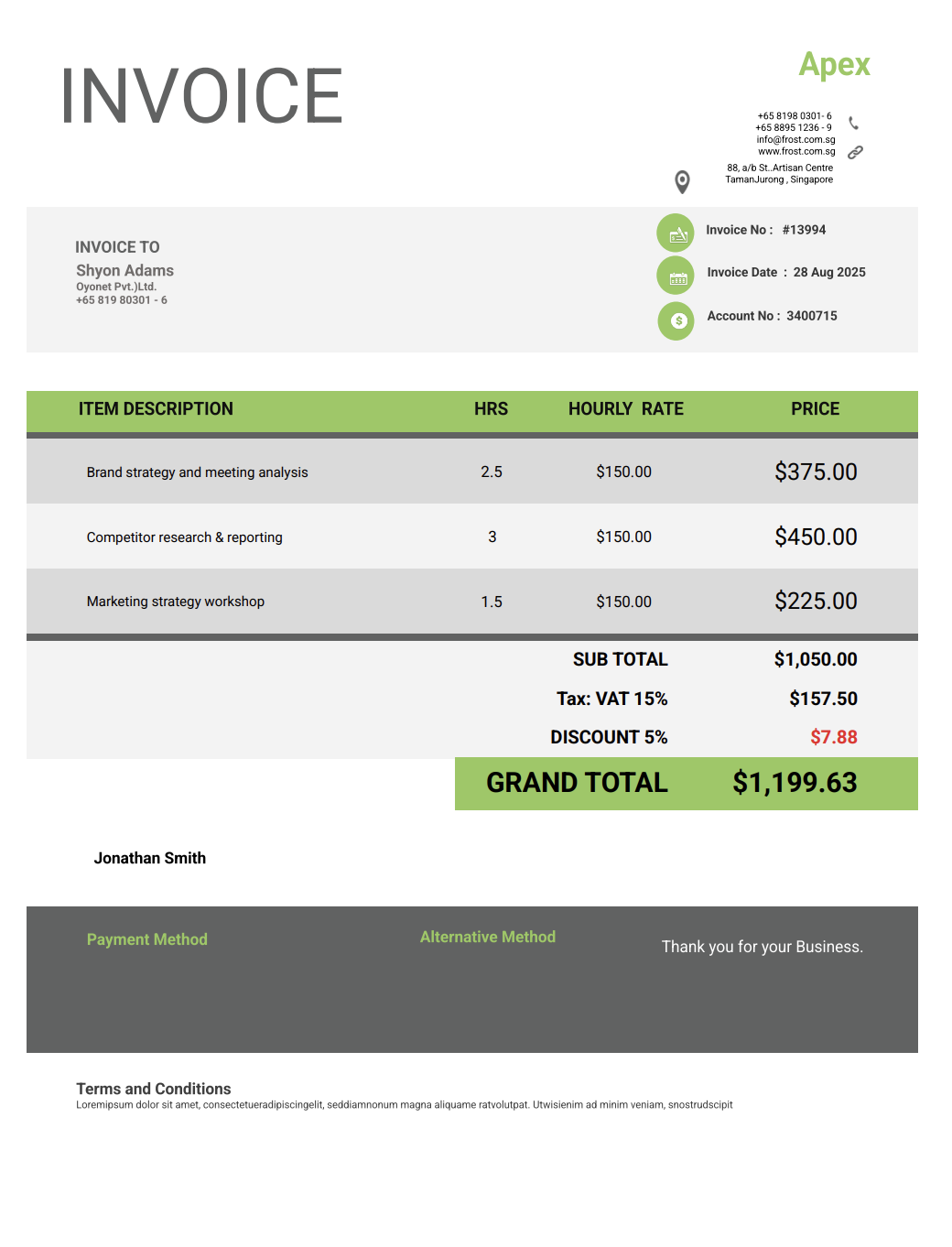
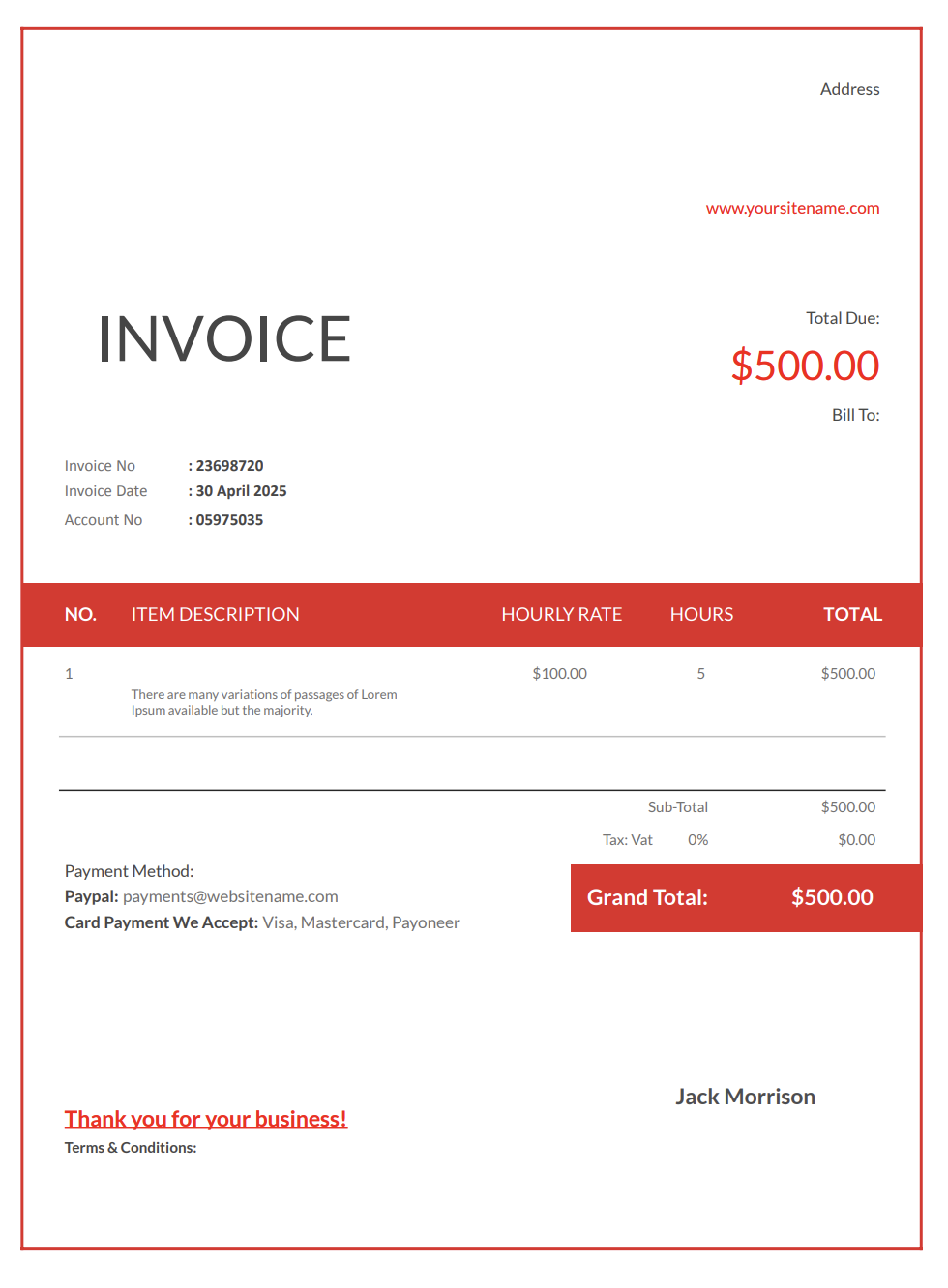
A consultant invoice template gives you a straightforward way to bill for your services. It helps you track hourly rates, project fees, retainers, research time, and even travel expenses in one document that clients can easily understand.
If you manage a larger firm or work across multiple client projects, explore our consulting services invoice templates with more detailed billing structures.
With Invoicer.ai, you can create consultant invoices in minutes, either by downloading free Word or Excel invoice templates or by customizing and sending invoices online directly through the software (which is much simpler).
Why Consultants Need Professional Invoices
Consulting often involves complex projects, long timelines, and multiple stakeholders. Without structured invoices, the value of your work can get lost, leaving you unpaid or underpaid.
Here’s why invoices are essential for consultants:
- Prompt payments: Clients are more likely to pay quickly when invoices are detailed and professional.
- Defined scope of work: Itemized invoices help prevent scope creep and disputes.
- Retainer tracking: Monthly invoices simplify ongoing client agreements.
- Professional image: Organized billing reassures clients they’re working with a serious expert.
- Tax and compliance: Proper invoices serve as records for accounting and reporting.
- Dispute protection: Invoices prove what was delivered and when.
Different Types of Consultant Invoices
Consulting services vary depending on the project and client. Having the right invoice template ready for each situation makes billing more effective.
Hourly Invoice
Bills for time spent on projects, meetings, and research.
Project-Based Invoice
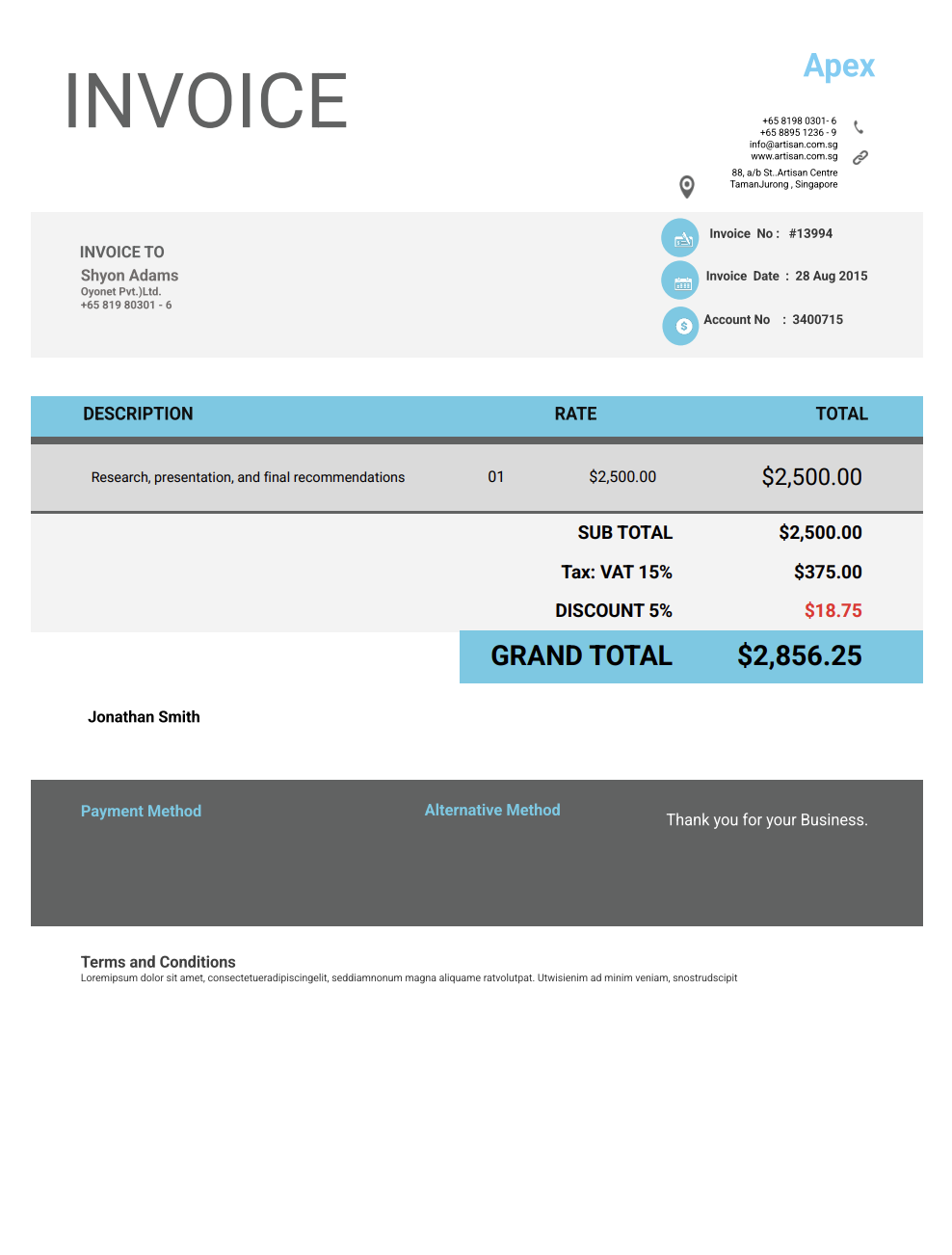
For fixed-price projects with agreed deliverables.
Retainer Invoice
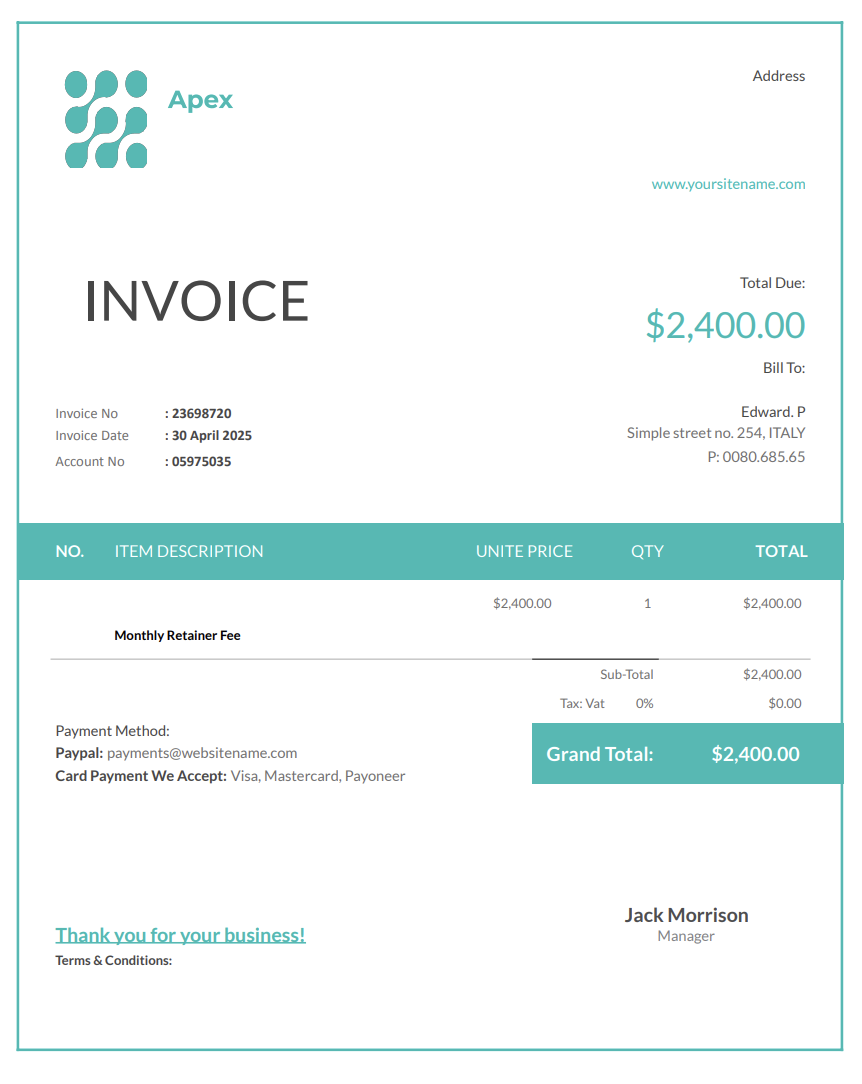
Recurring monthly invoices for clients on an ongoing contract.
Milestone Invoice
Issued when certain phases of a project are completed.
Travel and Expense Invoice
For reimbursement of costs like flights, lodging, or materials.
Package Invoice
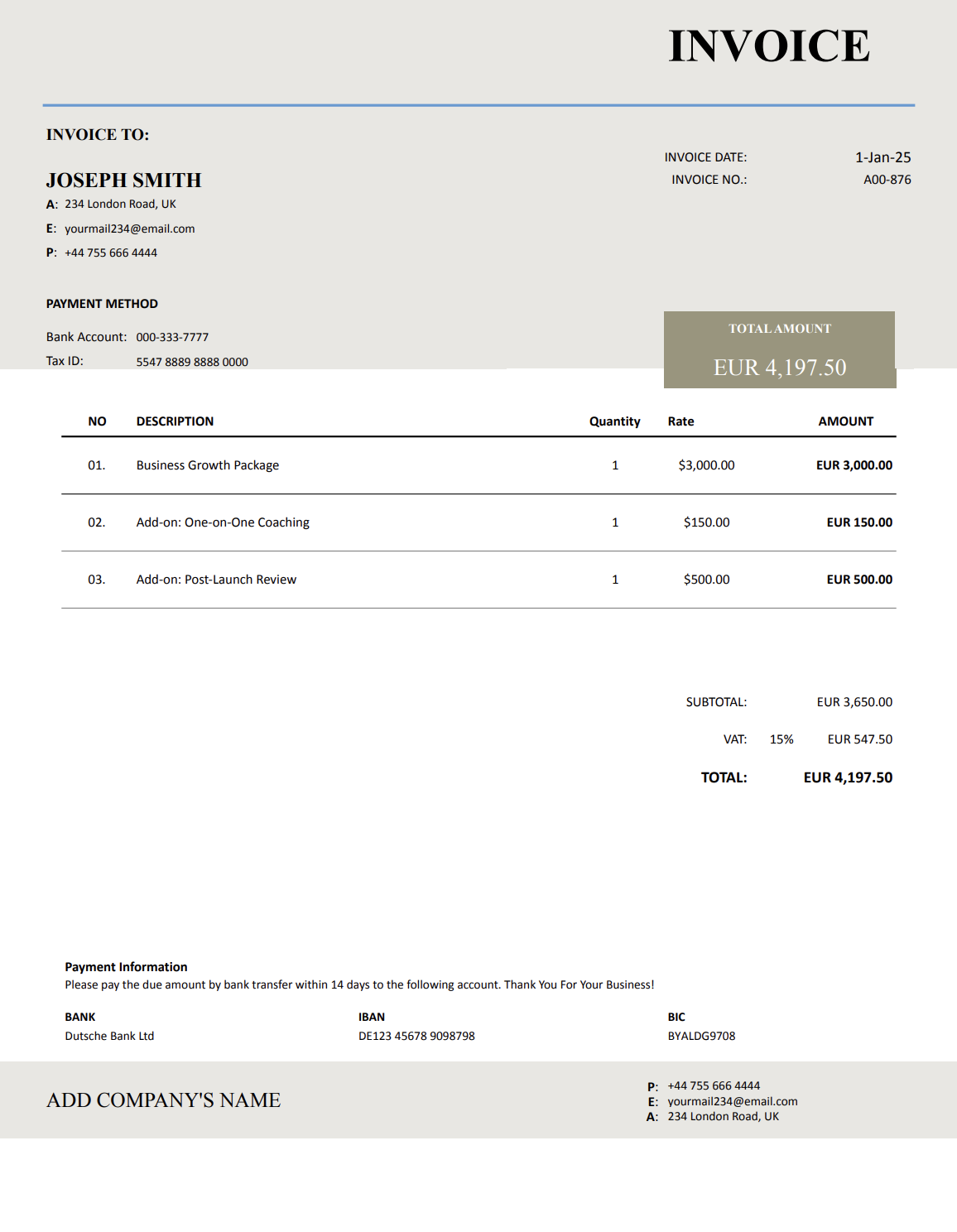
For bundled services (e.g., strategy + implementation + review).
Consulting firms and teams can use our consulting agency invoice templates for multi-client management and recurring billing.
Retainer Invoices and Monthly Drawdowns
Many consultants work on a retainer rather than on one-off projects. A retainer invoice should explain whether the retainer is a prepaid credit (drawdown) or a flat monthly fee that covers a defined scope.
Two common retainer structures:
- Prepaid hours (drawdown): The client prepays a set number of hours. You track time and deduct it from the balance each billing cycle.
- Flat monthly retainer: The client pays a fixed amount each month for an agreed scope or level of availability.
What to include on retainer invoices:
- Retainer period (for example, “March 2026 retainer”)
- What is included (hours, deliverables, availability window)
- Any overage rate (hourly rate for work beyond the retainer)
- If applicable: remaining retainer balance after the drawdown
Example line items:
- “Monthly retainer (March 2026) – strategy and advisory support”
- “Retainer drawdown: 6.5 hours used (remaining balance: [X] hours)”
- “Overage hours beyond retainer: 1.0 hour @ €___/hour”
What to Include in a Consultant Invoice
Every consultant invoice should be clear, transparent, and easy for clients to process. Here’s what to include:
- Your information: Full name, business name, contact details, website.
- Client information: Company name, contact person, and billing details.
- Invoice number and date: For record-keeping and tracking.
- Service description: Examples include “20 hours of strategic planning” or “Q3 digital marketing audit.”
- Itemized costs: Hourly rates, project fees, travel expenses, and research time.
- Payment terms: Due dates, late fees, and accepted methods.
- Retainer or milestone details: If applicable, specify which period or phase the invoice covers.
- Taxes/fees: Include if required in your jurisdiction.
- Notes: Policy reminders, deadlines, or clarifications about deliverables.
The clearer your invoice, the smoother the relationship with your clients.
Time Logs and Billing Detail (For Hourly Consulting)
Hourly invoices are approved faster when they include a short, professional time summary. The goal is not to overshare, but to provide enough detail that the client can match time to outcomes.
Recommended time log structure
- Date
- Work category (for example, “Research,” “Workshop,” “Implementation support,” “Client call”)
- Time spent (in 0.25 or 0.5 hour increments)
- Brief description focused on outputs
Example time entries
- “Feb 12 – Discovery call + notes (1.0 hour)”
- “Feb 14 – Competitive research summary (2.5 hours)”
- “Feb 16 – Workshop facilitation (2.0 hours)”
- “Feb 18 – Recommendations deck revisions (1.5 hours)”
Practical note:
If the invoice tool supports attachments, include the time log as a PDF or as an itemized section in the invoice notes.
Scope Changes, Change Requests, and Additional Work
Consulting projects frequently expand. The best way to keep invoicing fair is to separate additional work from the original scope and reference the approval date.
Best practice for additional work:
- Confirm the request in writing before starting (email is sufficient).
- Add new tasks as separate line items labeled “Additional work (approved on [Date]).”
- Keep pricing consistent with the agreed rate card or statement of work.
Example line items:
- “Additional work: stakeholder interviews (approved on [Date]).”
- “Additional work: implementation support (approved on [Date]).”
- “Out-of-scope request: new reporting dashboard (approved on [Date]).
Tips to Get Paid Quickly as a Consultant
Delayed payments can disrupt cash flow, especially when working with multiple clients. These strategies help to get paid on time.
- Require retainers: Secure partial payment upfront for new clients.
- Invoice promptly: Send invoices as soon as services are delivered or milestones are met.
- Offer online payments: Clients pay faster when options are simple.
- Use milestone billing: Break large projects into smaller, payable chunks.
- Send reminders: Gentle follow-ups prevent late payments.
- Clarify payment terms upfront: Define due dates and penalties in your contracts.
- Keep records organized: Digital invoices make tax preparation easier.
Consistency in invoicing helps consultants maintain trust and financial stability.
When and How to Send Consultant Invoices
Consultants invoice differently depending on the arrangement. Here are common practices:
- Hourly work: Invoice weekly or monthly, with a breakdown of hours.
- Projects: Invoice at the start (deposit), during milestones, and upon completion.
- Retainers: Send recurring invoices monthly or quarterly.
- Workshops/training: Invoice upfront or immediately after delivery.
- Travel/expenses: Invoice alongside services or as a separate reimbursement.
With Invoicer.ai, consultants can schedule invoices, track when clients open them, and automate reminders.
Simple Tweaks to Make Your Consultant Invoice Stand Out
Invoices don’t need to be complicated, but small touches can make them more effective:
- Add branding: Logo, fonts, and colors reinforce professionalism.
- Highlight project details: Reference contract or project codes for clarity.
- Bold payment terms: Make due dates and totals easy to spot.
- Reference milestones: Example: “Invoice for Phase 2 – Market Analysis.”
- Provide clarity on hours: For hourly work, list hours logged by task or date.
- Offer payment links: Reduce friction with “Pay Now” buttons.
Remember, professional invoices reflect your consulting style.
When and How to Send Consultant Invoices
Consultants invoice differently depending on the arrangement. Here are common practices:
- Hourly work: Invoice weekly or monthly, with a breakdown of hours.
- Projects: Invoice at the start (deposit), during milestones, and upon completion.
- Retainers: Send recurring invoices monthly or quarterly.
- Workshops/training: Invoice upfront or immediately after delivery.
- Travel/expenses: Invoice alongside services or as a separate reimbursement.
With Invoicer.ai, consultants can schedule invoices, track when clients open them, and automate reminders.
Why Choose Invoicer.ai Over Word, Excel, or QuickBooks
Many consultants start with Word or Excel invoices. While simple, they quickly become disorganized with multiple clients. QuickBooks is powerful but often overwhelming and expensive for independent consultants.
Invoicer.ai is built for simplicity and professionalism:
- Pre-built consultant invoice templates (Word, Excel, PDF).
- Quick online invoice creation and no spreadsheets needed.
- Save templates for repeat clients.
- Add retainer and milestone fields easily.
- Email invoices with tracking and payment links.
- Automated reminders for overdue payments.
- Clean formatting that clients appreciate.
- Recurring invoices. Availible on Advanced plan.
It’s designed to reduce admin time so you can focus on delivering value.
Get Paid the Easy Way
A consultant invoice template keeps your business organized, professional, and financially secure. Instead of chasing payments or relying on messy spreadsheets, you’ll have a system that ensures clients pay on time and your work is respected.
Once the invoice is ready, you can schedule it to send when it makes the most sense for the job or your billing routine.
Start your free 14-day trial today and let Invoicer.ai simplify your billing!