If you're someone who regularly bills the same customers, creating a new invoice every week or month can quickly become time-consuming.
The customer, service, and amount might all stay the same. However, someone still has to recreate the invoice, change the dates, double-check the details, and send it every time.
Now, Invoicer.ai makes repeat billing even easier with recurring invoices. This new feature helps freelancers and businesses automate invoices, cut down on repetitive admin, and keep billing consistent without starting from the beginning every time.
So, let's look at what recurring billing actually is, how it works, and why it's beneficial for businesses with repeat customers.
A recurring invoice is an invoice that is automatically created on a repeating schedule.
For example, a consultant might charge a client $1,000 per month for ongoing support. Instead of recreating the invoice each month, they can enter the billing details once, set a monthly schedule, and have a new invoice created automatically.
Recurring invoices can be created weekly, monthly, quarterly, or annually.
They're often used for:
When you work with the same customers over time, billing often follows a familiar pattern. A client might pay the same monthly retainer, support fee, rental charge, or maintenance cost for months or even years.
Recurring invoices make these ongoing arrangements easier to work with. Set up the invoice once, choose how often it should repeat, and let the system handle the routine billing from there.
The biggest benefit, of course, is time. If you invoice 20 regular customers every month, that's 240 invoice cycles per year. Even if each invoice takes only a few minutes, the total workload adds up very fast.
Recurring invoices reduce the need to repeatedly enter the same customer details, service descriptions, prices, taxes, payment terms, and notes.
Businesses often get busy, and invoices are sometimes delayed or even forgotten.
A missed invoice also means a delayed payment because customers can't pay an invoice they haven't received.
Recurring invoicing helps reduce this risk by generating invoices according to a predefined schedule.
Customers generally benefit from predictable billing. So, if an invoice arrives at the same time every month, the customer knows when to expect it and can plan for the payment.
A regular schedule also makes internal recordkeeping easier because repeat invoices follow a more consistent process.
Recurring invoices don't guarantee that customers will pay on time, but they can make billing more predictable.
With invoices going out on a regular schedule, it becomes easier to track expected income, spot unpaid balances, and plan upcoming business expenses with more confidence.
Every time information is entered manually, there's a chance of making a mistake.
That could mean entering the wrong amount, using an outdated service description, forgetting a line item, or applying incorrect payment terms.
Recurring invoices reduce repeated data entry by reusing the same approved billing information.
However, the recurring setup should still be updated when prices, services, taxes, or customer details change.
Manual invoicing might work well when a business has only a few repeat customers. However, it becomes more difficult as the customer base grows.
Recurring invoice software can help businesses manage more retainers, subscriptions, service contracts, and maintenance agreements without creating the same level of additional administrative work.
Recurring invoices are useful when the service, price, and billing schedule are predictable.
They can work well for:
For example, a marketing agency charging a fixed monthly retainer can use a recurring invoice. A landscaping company providing monthly maintenance might also benefit from it.
Recurring invoices aren't suitable for every type of work.
A standard invoice may be better when:
For example, a construction contractor might need to create individual invoices based on actual labor, materials, and completed work.
Recurring invoicing works best for predictable charges, not invoices that require changes every billing cycle.
Recurring invoices and recurring payments aren't the same thing.
A recurring invoice is a billing document created on a repeating schedule. It shows what the customer owes, what the charge covers, and when payment is due.
A recurring payment is collected automatically using an agreed payment method.
A business can send recurring invoices without automatically charging the customer.
Before you automate repeat billing, make sure you and the customer agree on the amount, billing frequency, services included, due date, and payment terms.
Keep the invoice description simple so the customer can easily understand what you're charging them for. It’s also worth reviewing recurring invoices from time to time, especially when your prices, services, taxes, or customer details change.
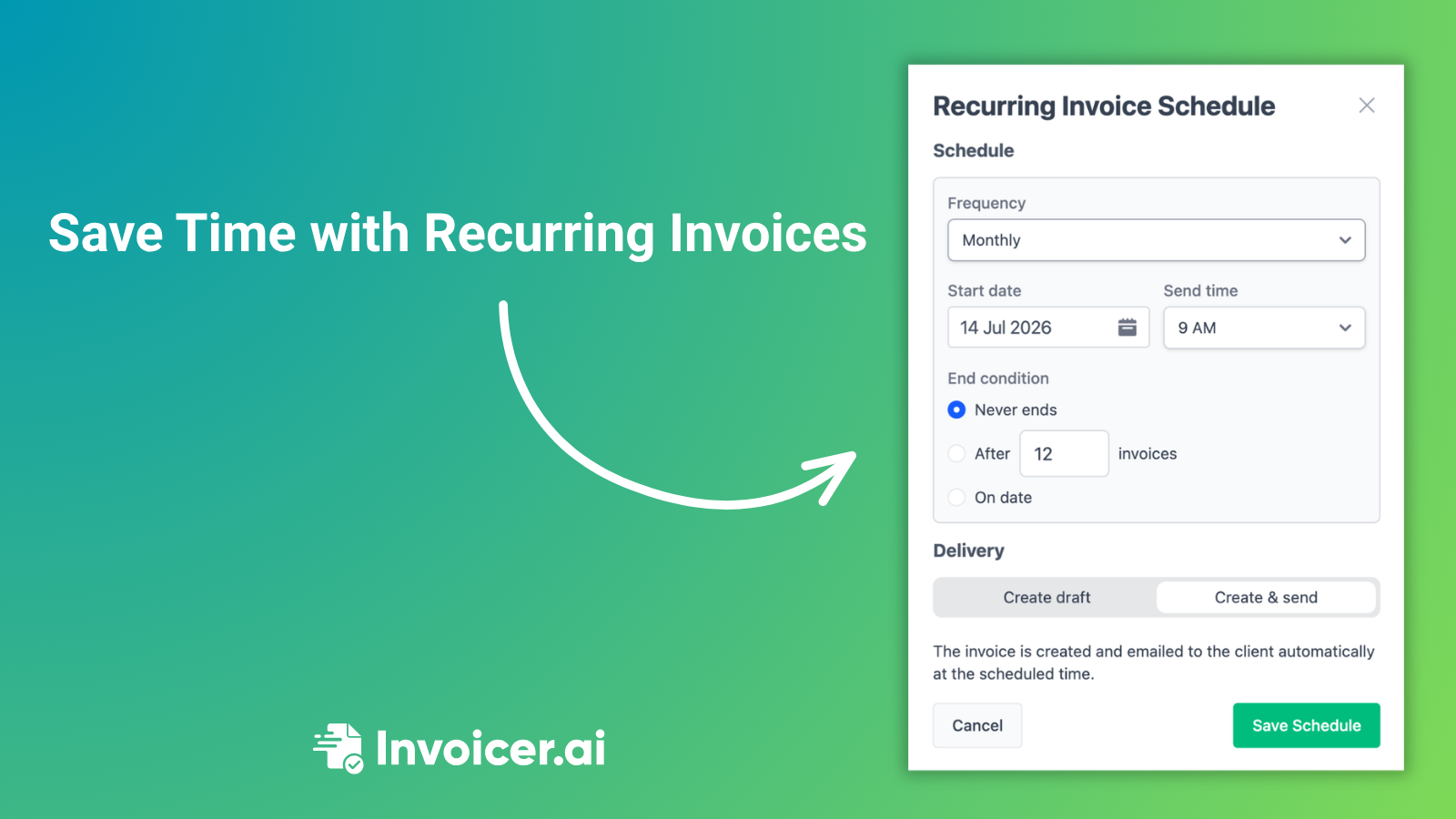
You can choose to send each invoice automatically or save it as a draft for review, with schedules available daily, weekly, bi-weekly, monthly, quarterly, and annually.
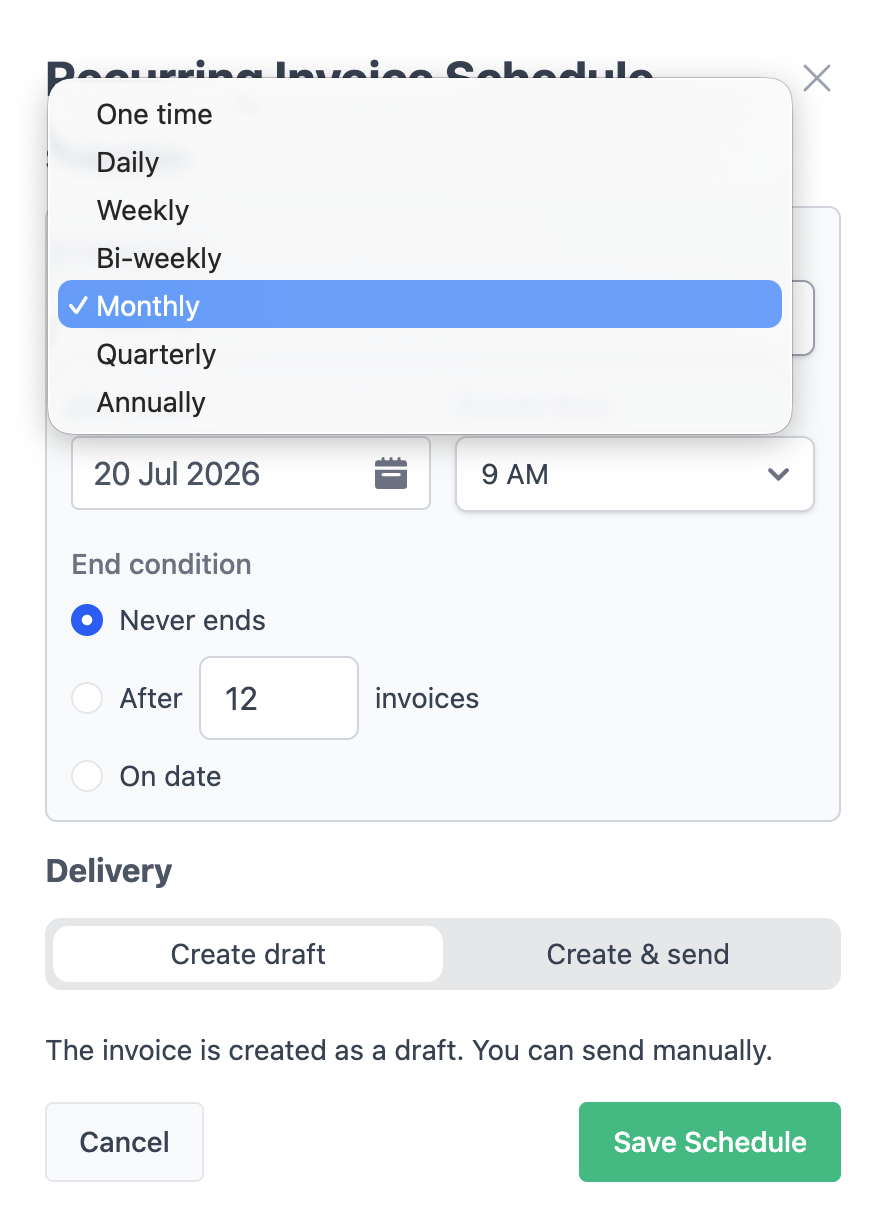
Every scheduled run creates a new invoice with the next invoice number, updated issue and due dates, and the billing details you've already approved. You can pause, restart, edit, archive, or delete a schedule whenever needed.
Invoicer.ai also adjusts month-end schedules automatically, so an invoice set for the 31st will be created on the last available day of a shorter month.
For step-by-step instructions, visit our help article.
Recurring invoices help take care of that routine work for you. Set up the invoice once, choose the schedule, and let Invoicer.ai create it at the right time. You can have each invoice sent automatically or saved as a draft for review, giving you less manual work, fewer missed invoices, and more time to focus on your business.
Recurring invoices are available with the Invoicer.ai Advanced plan.