"With Invoicer, it's so fast and easy I never have to worry about how I'd like it to feel. Rather, it does the job I need it to do and I love it!"

Or, invoice your clients with our free construction invoice templates.
Download for Microsoft Word, Excel, Google Docs, Sheets, PDF, and OpenOffice formats:


Choose from a variety of designs. You can download these free invoice templates and edit them in Google Docs or Microsoft Word by following the steps below:
1. Select a template
2. Click File > Make a Copy, Save as Google Docs, or Download
3. Edit as needed
Or, use Invoicer to easily create a construction invoice.

Easy and intuitive invoice generator.

Clear and simple process for your clients to pay.

Easily customize with your brand and colors.
Are you a construction professional facing difficulties with invoicing? Discover the types of invoices tailored specifically for construction projects. Learn how to create and send professional invoices, plus a better alternative to invoice templates.
Construction contractors and freelancers can face challenges when it comes to managing project costs, tracking payments, and keeping billing clear. This guide explains how invoice templates can help you create professional invoices for construction work, renovations, remodeling, repairs, labor, materials, equipment, subcontractor costs, and other construction services.
So, let’s talk about how invoice templates can make the invoicing process easier for construction professionals like you.
If you’re still pricing the job, start with our construction estimate templates to outline the scope of work, materials, labor, timelines, and expected costs before you invoice.
Invoice templates are pre-designed documents that help construction professionals create and send invoices quickly.
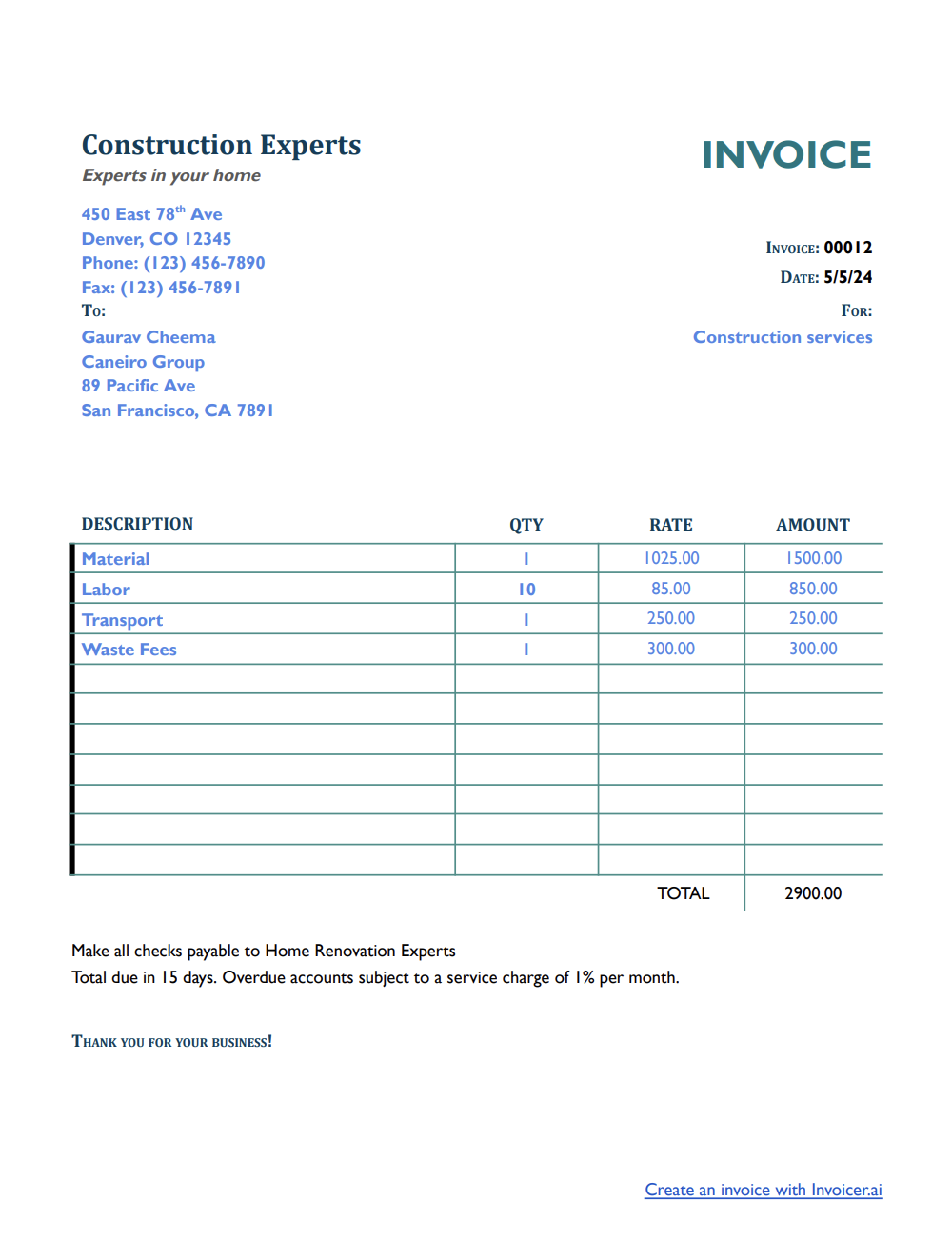
A construction invoice template gives you a structured layout for important details such as client information, project details, services performed, labor, materials, equipment costs, payment terms, taxes, and the total amount due.
Construction professionals can save a lot of time using an invoice template and make sure their invoices are clear and accurate if they know how to write an invoice. So, do you know how to write an invoice? It's okay if you don't. We will show you how to create an invoice!
Invoices play an important role in managing construction projects and payments. They provide a record of the work completed, materials used, costs charged, and payment terms.
They also help keep communication clear between the contractor and the client, reducing the risk of confusion over project costs, completed work, deposits, balances due, or payment deadlines.
By using invoice templates, contractors and freelancers can create invoices that are consistent, professional, and easy for clients to understand.
Construction contractors may need different invoice types depending on the size of the project, how the client is billed, and whether the work is a one-time job or part of an ongoing agreement. Here are some common invoice types used for construction projects:
Standard Construction Invoice. A standard invoice is used after construction work is completed or ready to be billed. It can include labor, materials, equipment, subcontractor costs, permits, site preparation, cleanup, taxes, and the total amount due. This type of invoice works great for many one-time residential or commercial construction jobs.
Deposit Invoice. A deposit invoice is used when you need to collect an upfront payment before starting the work. This is common for larger construction projects, renovations, remodeling jobs, custom work, or projects that require ordering materials, booking subcontractors, or reserving equipment in advance.
Progress Invoice. A progress invoice is used for larger construction projects that are billed in stages. Contractors may send progress invoices after specific milestones, such as demolition, foundation work, framing, rough-in work, drywall, finishing, or another agreed project phase.
Time and Materials Invoice. A time and materials invoice is used when the client is billed based on the actual labor hours, materials, equipment, and other costs used for the job.
Final Invoice. A final invoice is sent when the construction project is complete and the remaining balance is due. It can include the original contract amount, previous payments, deposits, approved changes, remaining charges, taxes, and the final amount owed.
When creating an invoice template for construction projects, be sure to include these vital details:
Invoice templates are an excellent billing solution for any construction professional because they are time-saving, affordable, and completely customizable.
The easiest way to create an invoice template for a construction business is to download a premade template. Invoicer's ready-made invoice templates make it easy for construction professionals to include all the necessary billing information without any hassle—because that part has already been taken care of.
All you need to do is download the invoice template, fill it out, customize and brand it, and then send it.
Follow these steps to create a professional construction template:
Now, take the time to review the layout and format, including:
Construction professionals can create invoices faster by using invoicing software. These platforms offer customizable invoice templates that they can easily change to meet business needs.
All they need to do is enter their business information, customize the layout, and add the necessary fields. Once the template is created, it can be saved for future use, and professional construction invoices can be generated with just a few clicks.
Send an invoice when the construction work is complete, ready to be billed, or when an agreed payment milestone is reached. For smaller jobs, such as minor repairs, drywall work, fixture installation, or general maintenance, you can usually invoice once the job is finished.
For larger construction projects, send a deposit invoice before work begins to cover materials, subcontractors, permits, equipment, or other upfront costs. When the project is complete, send a final invoice showing the total project cost, any deposit or previous payments received, approved changes, and the remaining balance due.
For longer projects, you can send progress invoices at key stages, such as after demolition, foundation work, framing, rough-in work, drywall, finishing, or another agreed project milestone. If the job is billed based on actual labor and materials, use a time and materials invoice to show the work performed, hours spent, materials used, and charges due.
In addition to using invoice templates, construction contractors can improve their billing process with a few simple habits:
Set payment terms. Let clients know the payment schedule before the project begins, including deposits, progress payments, due dates, accepted payment methods, and any late payment fees.
Follow up on unpaid invoices. If a payment is late, send a polite reminder and include the invoice number, amount due, due date, and payment instructions.
Keep clear records. Track invoices, estimates, deposits, material costs, labor, subcontractor charges, equipment fees, payments, and client details so you can review each project later.
Offer online payment options. Giving clients a simple way to pay online can help reduce delays and make the payment process easier.
Review pricing regularly. Check your labor rates, material costs, subcontractor fees, equipment costs, permit fees, disposal fees, and other expenses often so your invoices reflect the real cost of the work.
While invoice templates can be helpful, there is a better alternative to traditional templates for construction professionals.
Invoicing software, like Invoicer.ai, is specifically designed to improve invoicing processes, improving efficiency and accuracy. But what makes an invoice generator better than an invoice template? Here are some key features and benefits of the invoicing software that construction professionals will benefit from:
Invoicing software offers numerous benefits, including time-saving, improved accuracy, better cash flow, and enhanced client satisfaction.
Invoicing is critical to running a successful construction business. Individuals can simplify the invoicing process by using invoice templates tailored specifically for construction projects, ensuring accuracy and maintaining healthy cash flow.
Construction professionals should include all the necessary details in their invoice templates and follow best practices for invoicing.
Invoicer.ai is a superior alternative to traditional invoice templates. It allows professionals to further enhance their invoicing process, saving time and resources.
This invoicing software offers several benefits, including invoice tracking, payment tracking, document management, customization, automation, reporting and analytics, and many more! Also, once the invoice is ready, you can schedule it to send when it makes the most sense for the job or your billing routine.
Let Invoicer.ai deal with your billing so you can focus on the important parts of your construction business!