AI Estimate Generator

Generate and send estimates in seconds. Create invoices from estimates in one click.
4.8
G2
4.7
Capterra
4.6
Google
Read what our customers are saying
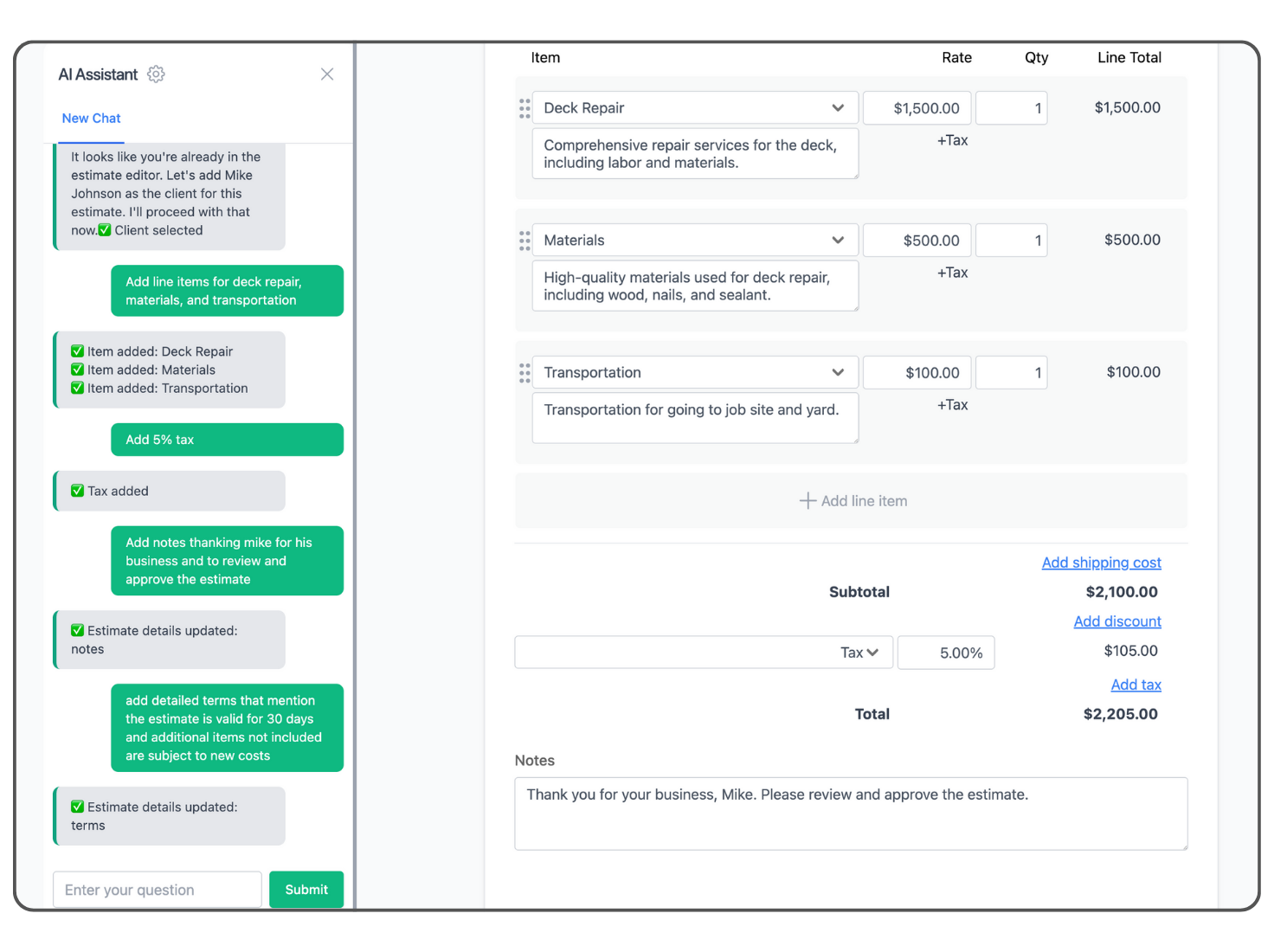
Invoicer.ai AI estimate editor chat

How It Works

From Chat to Approval in 3 Steps

1. Just Ask

Chat what you need and let AI instantly create professional estimates.

2. Instant Draft

Get a polished estimate draft with all your details filled in automatically.

3. Send & Get Approved

Send your estimate and watch in real-time as it gets approved.

Prefer to build manually? You can do that too.

See It in Action

Watch how easy it is to create an estimate with AI

Your Intelligent Financial Assistant

Just Talk, It Understands

Type like you're texting a customer. Just say what you need.

Smart Math & Taxes

Smart math and tax calculations handled automatically.

Expense Manager

Snap a receipt, and AI extracts the details instantly. No more lost paperwork.

Real-Time Tracking

Know exactly when estimates are delivered, viewed, and approved.

Stop Wasting Time on Estimates

See how Invoicer.ai compares to Excel, Word, and paper estimates

Feature Invoicer.ai Excel / Sheets Word / Paper
Create estimates in seconds
Automatic calculations
Professional templates
Saves client information
Convert estimates to invoices
Send directly to clients
Track if estimate was viewed
Automatic payment reminders
Accept online payments
Multiple currencies
Built-in expense tracking
AI receipt capture
Add file attachments
Works on any device
Never lose an estimate

Frequently Asked Questions

Everything you need to know about AI estimating

An AI estimate generator uses artificial intelligence to create professional estimates from simple text descriptions. Instead of manually filling out forms, you describe what you need in plain language, like "Create an estimate for John Smith for 10 hours of plumbing work at $75/hour," and the AI instantly generates a complete, formatted estimate ready to send.
Creating an estimate with Invoicer.ai takes just three steps. First, type what you need in plain English and describe the work, client, and amounts. Second, review the instant draft that AI generates with all details filled in. Third, send it directly to your client and get approved. The entire process takes seconds, not minutes.
Yes. Invoicer.ai uses advanced AI to accurately interpret your requests and calculate totals, taxes, and discounts automatically. Every estimate is generated as a draft for you to review before sending, so you always have final approval. The AI learns from your history to remember client details and preferences, making each estimate more accurate over time.
Absolutely. Every estimate and invoice created by AI is fully editable. You can adjust line items, change amounts, update client details, add notes, or modify any field before sending. The AI gives you a fast starting point, but you always have complete control over the final document. You can also create estimates and invoices entirely from scratch using the manual editor if you prefer.
Yes. Invoicer.ai uses bank-level encryption to protect your data. We are a verified Stripe partner for secure payment processing. Your estimates and financial data are stored securely in the cloud and accessible only to you. Our AI-powered features (like receipt scanning and smart estimating) require your explicit opt-in and use trusted providers solely to deliver those features. We never sell or share your data for marketing or other purposes. See our Privacy Policy for full details.
AI estimate generators are popular with contractors, freelancers, and small business owners who want to spend less time on paperwork. Plumbers, electricians, landscapers, consultants, photographers, and other service providers use Invoicer.ai to create professional estimates quickly, often from the job site using their phone.
Yes. Invoicer.ai provides real-time tracking so you know exactly when your estimates and invoices are delivered, viewed, downloaded, and paid. For estimates, you will also see when they are approved. No more wondering if your client received your estimate. You have full visibility into its status.
Invoicer.ai offers plans starting at $10/month for basic estimating needs. Pro and Advanced plans include additional features like expense management, more AI-powered capabilities, and automation. Annual plans save you 30%. You can start with a free trial to see if it is right for your business.
Yes. Invoicer.ai creates both invoices and estimates using the same simple chat interface. Describe the job, and the AI generates a professional invoice you can send to your client. Or, if you have an approved estimate, you can convert it to an invoice with one click. No re-entering information required.
No. While AI makes creating estimates faster, you can always use the manual editor to build estimates and invoices from scratch. Add line items, set your own rates, and customize every detail yourself. Many users mix both approaches, using AI when they want speed and the manual editor when they want full control.